

Ainfographic - Generate AI Powered Infographics Fast
Turn any content into stunning infographics in 2 minutes with AI
Add your screenshot here
Image or video shown in this spot
What is Ainfographic?
Ainfographic transforms blog posts, PDFs, and custom templates into stunning infographics in minutes using AI. Simply paste a URL, upload a document, or provide your templateâthe AI extracts key points and generates professional visuals automatically. Designed for content creators, marketers, and businesses who need high-quality infographics without design skills or expensive designer costs.
Need help implementing Ainfographic - Generate AI Powered Infographics Fast?
Find verified specialists who work with Ainfographic - Generate AI Powered Infographics Fast
Key Features of Ainfographic
- Create infographics from blog URLs with automatic content extraction
- Transform PDF documents into visual infographics
- Upload and populate custom templates with AI
- Multiple visual types: infographics, mindmaps, roadmaps, timelines, flowcharts, org charts
- 8+ aspect ratios optimized for Instagram, TikTok, LinkedIn, Twitter, Pinterest
- High-resolution export (1K, 2K, 4K)
- Credit-based pricing system
- One-click export in multiple formats
Who Should Use Ainfographic?
Convert blog posts into shareable infographics for social media
Transform research reports and whitepapers into visual summaries
Create presentations from complex data
Generate marketing content for LinkedIn and other platforms
Design infographics for Pinterest and Instagram
Visualize organizational hierarchies and timelines
Ainfographic: Pros & Cons
✓Pros
- 99% cost savings compared to hiring designers
- 2-minute creation time vs. 17.5 hours for traditional design
- No design skills required
- Brand consistency with custom template uploads
- Supports multiple content input methods (URL, PDF, templates)
- Multiple export resolutions available
- Optimized aspect ratios for all major social platforms
Frequently Asked Questions about Ainfographic
Can I export Ainfographic infographics for commercial use?
Ainfographic does not specify licensing restrictions in its public documentation, so confirm with their team before using exports commercially. The tool supports one-click export in multiple formats at resolutions up to 4K, which suggests commercial workflow intent, but you should verify rights before publishing client work or selling infographics.
How many credits does it cost to generate a single infographic?
Ainfographic does not publish a standard credit cost per infographic, so the price varies depending on complexity and export resolution. Credits start at 10 for $5, but you will need to test the tool or contact them to learn how many credits a typical blog-to-infographic conversion consumes.
Does Ainfographic preserve my branding when I upload a custom template?
Ainfographic supports uploading custom templates and uses AI to populate them with content extracted from your source material. The tool is designed for brand consistency with this approach, though the depth of branding control and whether logos or color schemes survive the AI generation step are not specified.
What file formats can I export infographics in?
Ainfographic supports one-click export in multiple formats, but does not list which specific formats (PNG, SVG, PDF, etc.) are included. Check their export menu or documentation before committing to a workflow that depends on a particular format.
Tool Details
- Pricing
- Free
- Category
- Ai Infographic Generator
- Added
- Jul 2026
- Last Updated
- Jul 2026
More Ai Infographic Generator Tools
7 tools in the same category
Turn blogs into stunning infographics in 2 minutes, not 12 hours.

Create professional infographics & visuals with AI in minutes
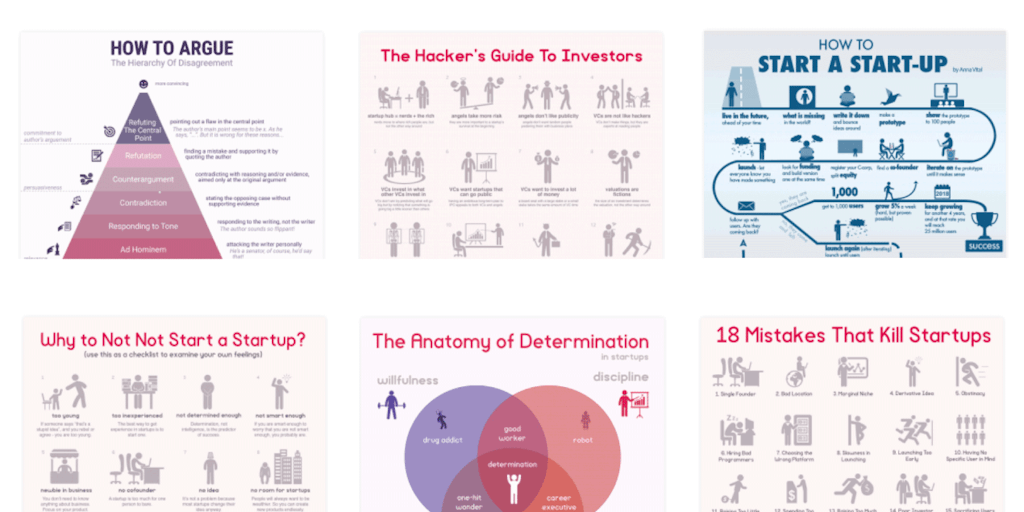
Create infographics in minutes with icons and templates

AI-powered design platform for creating branded content at scale, no experience needed

Turn text into stunning infographics in 2 minutes with AI

Design like a pro with AI-powered visual creation tools

Turn your data into stunning infographics in seconds
Recently Added AI Tools
New tools added to the directory



Share PDFs securely - no account, no trace, automatic expiration.

Batch download & auto-organize TikTok, Instagram, YouTube videos in one command
From the Blog
Latest guides and tips on AI tools
Free Logo Maker Apps in 2026
Free Logo Maker Apps in 2026
AI Image GenerationBest AI Tools for Ecommerce in 2026
Best AI Tools for Ecommerce in 2026
Best AI ToolsBest AI Tools for Digital Marketers in 2026
Best AI Tools for Digital Marketers in 2026
Best AI ToolsBest AI Tools for Freelancers in 2026
Best AI Tools for Freelancers in 2026
Best AI ToolsWant to list your AI tool on NextStair?
Submit Tool