

Best AI Design Tools 2026
Browse AI-powered design tools for graphic design, brand identity, presentations, and visual workflows. From AI tools that generate design layouts and suggest color palettes to platforms with AI features built into the full design process - this category helps designers and non-designers alike produce polished assets faster. Compare tools from beginner-friendly no-design-skill platforms to professional-grade AI design suites.
.svg)

AI prototype generator that turns ideas into production-ready designs in minutes

30,000+ curated color palettes for modern design, one tap away

AR color picker and library for designers in your pocket
Build and stress-test Tailwind color scales with real UI components
AI color palette generator for designers - create stunning schemes in seconds

Manage 6,000+ fonts with one click. Works with Photoshop, Illustrator & more.

Transform your text into 50+ stunning fonts in real-time
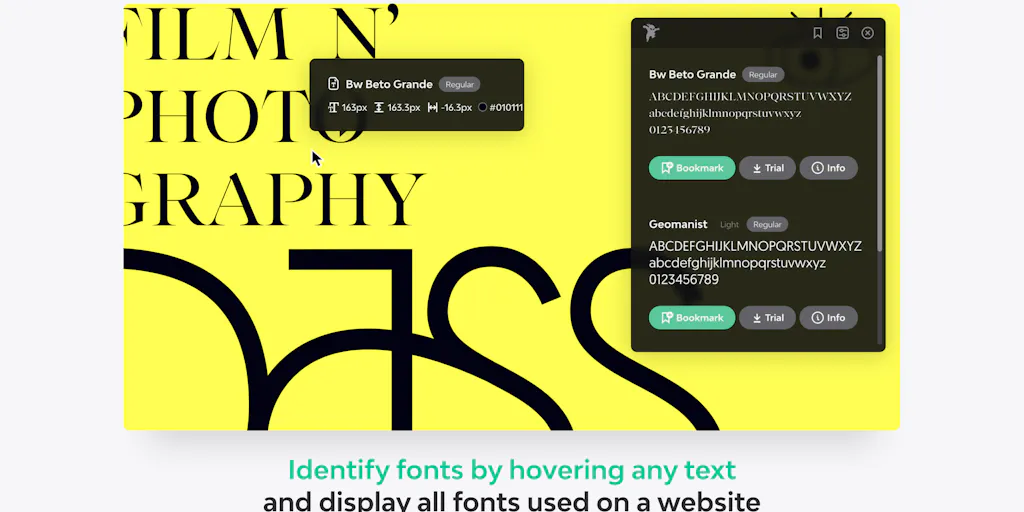
Identify any font on the web in seconds
A monospace font that makes code readable and beautiful
Turn your handwriting into a real font in under a minute
AI-powered font generation from prompts or images in seconds
Identify any font from photos instantly with AI
Transform plain text into hundreds of cool, fancy fonts instantly

Find and pair the perfect fonts for your project instantly.

Create custom fonts from sketches - free, in your browser, no signup needed.

Generate stunning AI fonts, signatures & logos in seconds - free, no design skills needed

AI color palettes in seconds, not hours
The all-in-one design platform with AI tools for everyone
Create social media graphics, flyers, and videos with Adobe AI in minutes
Create logos, videos, mockups, and branded content with AI in two minutes

Transform data into stunning infographics in seconds with AI
AI design you can edit - content-first, not image-first
Customizable AI workspaces where conversations, designs, and ideas evolve across multiple models.
AI design agent that turns your words into beautiful, editable graphics instantly
Professional design with 48-hour turnarounds, powered by AI and experienced designers
Designer logos & brand kits, ready instantly with AI pairing
AI text-to-SVG generator and editor for designers and creators
Effortless AI Design for Everyone
Free AI floor design tool - no signup, professional results in minutes
Generate a complete brand identity in seconds with AI
Generate poster concepts from a brief, edit with AI assistance, share for community rewards.
Turn blogs into stunning infographics in 2 minutes, not 12 hours.

Create professional infographics & visuals with AI in minutes
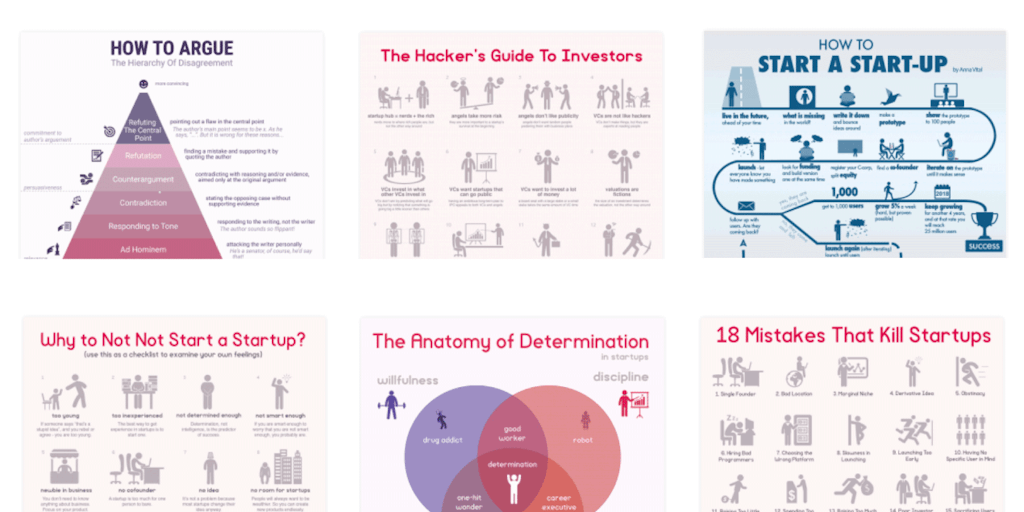
Create infographics in minutes with icons and templates

AI-powered design platform for creating branded content at scale, no experience needed

Turn text into stunning infographics in 2 minutes with AI

Design like a pro with AI-powered visual creation tools
Turn your data into stunning infographics in seconds
Turn any content into stunning infographics in 2 minutes with AI
Create beautiful presentations, docs, and websites from text with AI in 60 seconds
Presentations that design themselves with smart slide templates and AI
Build compelling AI-powered presentations and narratives for any pitch
Create stunning presentations with AI - no designer needed

Turn ideas into stunning presentations with AI in minutes

Invisible AI teleprompter that keeps you looking straight at the camera
Create professional slides from any document in one click

AI presentation maker that thinks like your designer

AI presentation maker that turns ideas into stunning slides in minutes

Turn raw screenshots into stunning visuals instantly
Create professional PPT presentations in minutes with AI
Design has always had a skills gap. A good idea in a founder's head rarely survived the trip to a polished layout without a designer in between. AI design tools are narrowing that gap by handling the mechanical parts, the alignment, the resizing, the palette, so the person with the idea can get closer to a finished result before handing off. They do not replace taste, but they shorten the distance between a rough concept and something presentable.
From a prompt to a working layout
The most useful tools produce structure, not just pictures. UI generators turn a description into a screen with real components, and presentation makers build a full slide deck from an outline in one pass. Both save the hours usually lost to laying things out by hand.
Brand pieces and the small decisions
A lot of design is a hundred small choices. Color palette tools suggest schemes that actually work together, font tools pair typefaces and fix spacing, and graphic design tools generate social posts and marketing assets on brand. For data-heavy pieces, infographic generators turn numbers into something readable.
The line between a draft and a finished product
Generated design gets you to a strong first version, but the last ten percent still needs a human eye. Spacing that is almost right, a color that clashes with the brand, a layout that ignores the actual content, these are the things a person catches and a model misses. Use these tools to skip the blank canvas, then refine in a proper editor. For product work specifically, move the output into a dedicated UI/UX design tool, and generate any imagery with AI image tools.