

imgenhancer - AI Image Upscaler
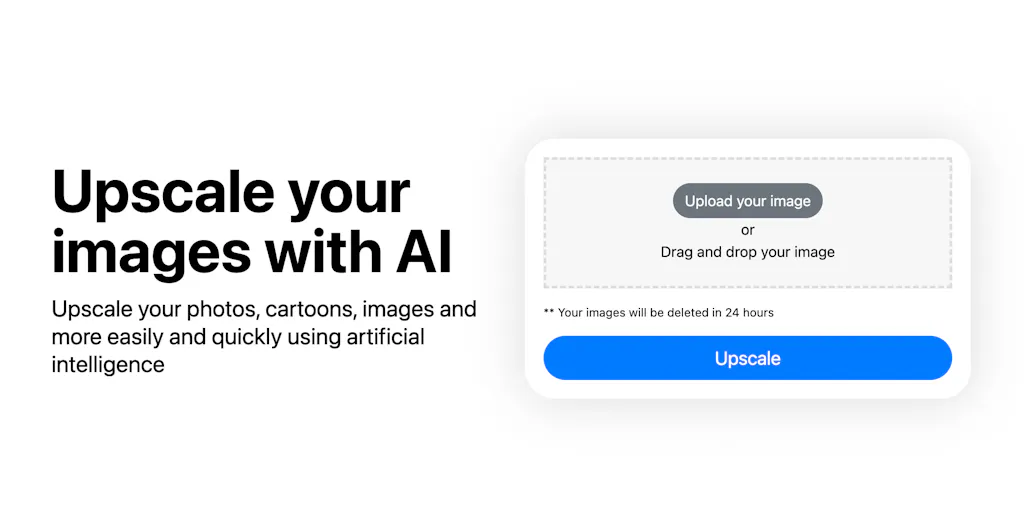
Transform any image with AI - upscale, enhance, and recreate in minutes
Add your screenshot here
Image or video shown in this spot
What is Imgenhancer?
ImgEnhancer.ai is an AI-powered image enhancement platform that transforms images through upscaling, style transformation, and creative reconstruction. Users upload an image, describe desired changes via text prompt, and the platform uses deep learning algorithms to generate enhanced versions in 1-3 minutes. It's designed for photographers, digital artists, designers, and content creators who need professional-grade image processing without technical expertise.
Need help implementing imgenhancer - AI Image Upscaler?
Find verified specialists who work with imgenhancer - AI Image Upscaler
Key Features of Imgenhancer
- Image-to-image AI transformation with text prompts
- 8K ultra-high definition upscaling
- Creativity, HDR, and Resemblance control sliders
- Multiple aspect ratio options (1:1, 3:2, 2:3)
- Batch processing (up to 5 images, 1-4 outputs per image)
- Cloud GPU acceleration (2-minute average processing)
- Supports .jpeg, .jpg, .png, .webp formats (up to 24MB)
- No registration required for free trial
- Encrypted image transmission with automatic deletion
Who Should Use Imgenhancer?
Upscale portraits and photography to professional detail levels
Enhance AI-generated images with higher resolution and depth
Transform image styles for creative projects
Prepare images for commercial printing and social media
Create ultra-high-resolution artwork for client projects
Add artistic effects and color optimization to designs
Imgenhancer: Pros & Cons
✓Pros
- Industry-leading AI technology with professional-grade output
- Very fast processing (average 2 minutes)
- 99.9% success rate with 98.5% user satisfaction
- User-friendly interface accessible to beginners and professionals
- Strong privacy protection with encrypted transmission and automatic deletion
- 4.9/5 user rating based on 15,000+ reviews
- No registration required to start free trial
- Supports multiple payment methods via secure Stripe processing
✕Cons
- No refunds offered due to substantial GPU processing costs
- Artifacts can occur if Creativity or HDR values set too high
- PayPal and cryptocurrency payments not accepted
- Maximum 5 images per upload
- Maximum 24MB file size
Frequently Asked Questions about Imgenhancer
What image formats does imgenhancer accept and what's the file size limit?
Imgenhancer supports JPEG, JPG, PNG, and WebP files up to 24MB each. If you're working with larger images or different formats, you'll need to convert them before upload.
Can I upscale multiple images at once, and how many outputs can I get per image?
Yes, imgenhancer lets you batch process up to 5 images in a single upload. Each image can generate 1 to 4 different outputs, so you can experiment with different Creativity, HDR, and Resemblance settings without re-uploading.
How long does it take to upscale and enhance an image?
Most images process in around 2 minutes thanks to cloud GPU acceleration, though the interface quotes a 1-3 minute range. Processing speed depends on image complexity and your current queue position.
Is there a free trial, and do I need to create an account to try it?
Imgenhancer offers a free trial with no registration required, so you can test the upscaling and enhancement features immediately. If you decide to subscribe, the platform uses Stripe for secure payment processing but does not accept PayPal or cryptocurrency.
Tags
Tool Details
- Pricing
- Free
- Languages
- English, Chinese, Japanese
- Category
- Ai Image Upscalers
- Added
- Jun 2026
- Last Updated
- Jul 2026
More Ai Image Upscalers Tools
4 tools in the same category
Upscale images up to 400% with AI in seconds
Upscale low-resolution images to 4K and beyond with free open-source AI
Turn selfies into studio-grade AI portraits in minutes - no desktop editor needed.

One-click AI upscaler: Transform blurry photos to 4K instantly
Recently Added AI Tools
New tools added to the directory



Share PDFs securely - no account, no trace, automatic expiration.

Batch download & auto-organize TikTok, Instagram, YouTube videos in one command
From the Blog
Latest guides and tips on AI tools
Free Logo Maker Apps in 2026
Free Logo Maker Apps in 2026
AI Image GenerationBest AI Tools for Ecommerce in 2026
Best AI Tools for Ecommerce in 2026
Best AI ToolsBest AI Tools for Digital Marketers in 2026
Best AI Tools for Digital Marketers in 2026
Best AI ToolsBest AI Tools for Freelancers in 2026
Best AI Tools for Freelancers in 2026
Best AI ToolsWant to list your AI tool on NextStair?
Submit Tool