


NeetoForm - Forms with Built-in Payment Processing
The best Google Forms alternative with payment processing and smart data organization
What is Neetoform?
NeetoForm is a Google Forms alternative that enables users to build and deploy custom forms without coding. It goes beyond basic data collection by offering conditional logic, payment processing via Stripe and Razorpay, and automatic data segmentation. The platform is designed for businesses, teams, and individuals who need to gather, organize, and act on form submissions efficiently.
Need help implementing NeetoForm - Forms with Built-in Payment Processing?
Find verified specialists who work with NeetoForm - Forms with Built-in Payment Processing
Key Features of Neetoform
- Drag-and-drop form builder with no coding required
- Conditional logic for smart workflows
- Payment collection via Stripe and Razorpay
- Custom segments for organizing submissions
- Mobile-responsive forms
- Brand customization with themes and logos
- Pre-designed templates for surveys, registrations, and feedback
- Automated actions (email, SMS, custom API)
- Mobile app for on-the-go form building
- Third-party integrations
Who Should Use Neetoform?
Collecting customer feedback and surveys
Processing event registrations with payments
Gathering lead information with conditional workflows
Accepting payments directly in forms
Organizing and categorizing customer submissions
Automating follow-up communications
Neetoform: Pros & Cons
✓Pros
- No coding knowledge required
- Affordable pricing compared to competitors
- Mobile-friendly forms
- Built-in payment processing
- Automatic data segmentation and organization
- Flexible design customization
- Active community support
- Mobile app available
Frequently Asked Questions about Neetoform
Can I use NeetoForm without any coding knowledge?
Absolutely! NeetoForm is designed to be user-friendly and doesn't require any coding skills. Our intuitive drag-and-drop interface allows you to create forms easily, even if you have no technical expertise.
Are the forms created with NeetoForm mobile-friendly?
Certainly, forms created with NeetoForm are mobile responsive ensuring they display and work properly on smartphones and tablets as well.
Can I customize the design of my forms?
Yes, NeetoForm offers flexibility to tailor your form's design by adjusting colors, fonts, and branding to match your business. You can upload your logo and choose from a selection of themes.
Can I collect payments through NeetoForm?
Yes, NeetoForm allows you to collect payments securely from Stripe and Razorpay directly in your form.
Tool Details
- Pricing
- Free
- Category
- Form Builders
- Added
- Jul 2026
- Last Updated
- Jul 2026
More Form Builders Tools
7 tools in the same category

AI-powered forms that drive conversions and boost sales

Deploy AI workers that take real actions in your systems, 24/7.

Build and launch a real marketplace in days, not months.
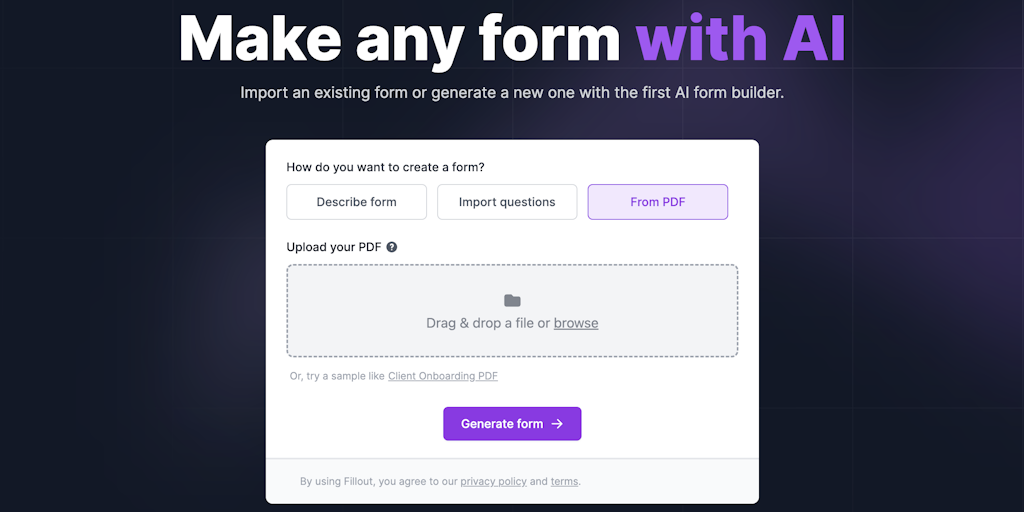
Generate professional forms with AI in minutes, no coding required.

AI-powered forms that convert - free, fast, and beautiful.

AI-powered forms that qualify leads and boost conversions automatically

Build any form in seconds with AI - no coding required
Recently Added AI Tools
New tools added to the directory



Share PDFs securely - no account, no trace, automatic expiration.

Batch download & auto-organize TikTok, Instagram, YouTube videos in one command
From the Blog
Latest guides and tips on AI tools
Free Logo Maker Apps in 2026
Free Logo Maker Apps in 2026
AI Image GenerationBest AI Tools for Ecommerce in 2026
Best AI Tools for Ecommerce in 2026
Best AI ToolsBest AI Tools for Digital Marketers in 2026
Best AI Tools for Digital Marketers in 2026
Best AI ToolsBest AI Tools for Freelancers in 2026
Best AI Tools for Freelancers in 2026
Best AI ToolsWant to list your AI tool on NextStair?
Submit Tool