

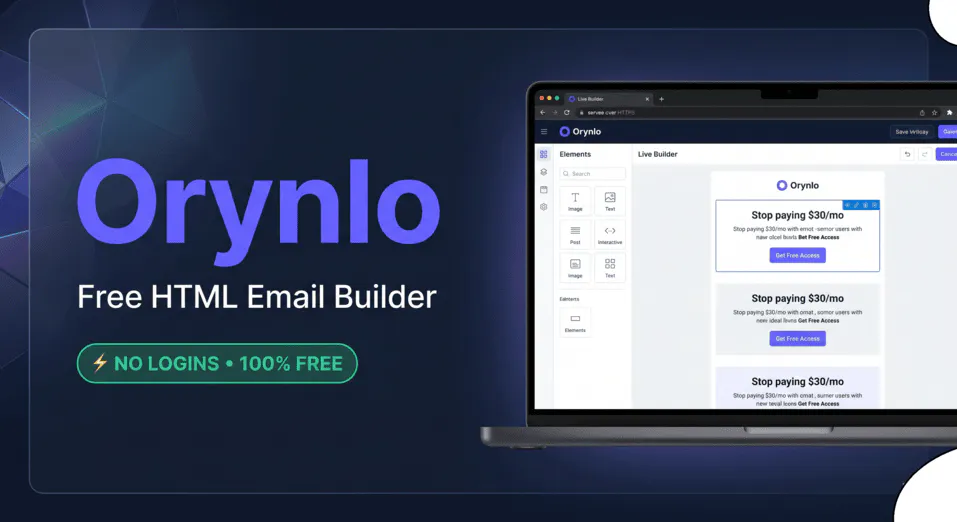
Orynlo Email Templates - Responsive HTML Emails, No Subscription
Build responsive HTML emails with inline CSS - no monthly fees required
Add your screenshot here
Image or video shown in this spot
What is Orynlo Email Templates?
Orynlo Email Templates is a premium HTML email builder that helps marketers create clean, responsive email campaigns without ongoing software costs. It generates inline CSS-optimized code specifically designed for secure delivery across email clients like Outlook and Gmail. Built for B2B outreach teams, agencies, and independent growth teams who need lightweight, client-side template creation with full control over assets and deliverability.
Need help implementing Orynlo Email Templates - Responsive HTML Emails, No Subscription?
Find verified specialists who work with Orynlo Email Templates - Responsive HTML Emails, No Subscription
Key Features of Orynlo Email Templates
- Inline CSS output compilation
- Secure table structures optimized for email clients
- Custom layout paragraphs
- CTA button and redirect marketing links
- Image asset upload (local or web URL)
- Social grid with LinkedIn, X, and web icons
- Border dividers and spacing structure
- Desktop view rendering
- Code download and copy functionality
- Subject line tag editor
- Font family stack options (Arial, Helvetica, Georgia, Verdana)
Who Should Use Orynlo Email Templates?
Create clean B2B outreach email templates
Build responsive campaigns for multi-viewport email clients
Generate high-converting messaging without software subscriptions
Design Outlook and Gmail-optimized email layouts
Develop scalable outbound operational campaigns
Orynlo Email Templates: Pros & Cons
✓Pros
- Free access to premium email builder
- No monthly subscription fees required
- Inline CSS tables ensure compatibility across major email clients
- Client-side execution keeps marketing assets private
- Live workspace preview with desktop view rendering
- Secure table structures optimized for delivery networks
- Generate copy-ready code directly from interface
Frequently Asked Questions about Orynlo Email Templates
Does Orynlo generate inline CSS automatically, or do I need to write it myself?
Orynlo compiles inline CSS automatically as you build the template using its visual editor. You do not write CSS by hand; the tool outputs production-ready code with all styles inlined, which is the standard format email clients like Outlook and Gmail require for proper rendering.
Can I download the HTML code from Orynlo to use it in my own email service or CMS?
Yes. Orynlo lets you download the code directly or copy it from the interface, so you can paste the HTML into any email service provider, CMS, or custom system. Since it runs client-side and keeps your assets private, you own the output completely.
What font options does Orynlo support in email templates?
Orynlo offers a font family stack with Arial, Helvetica, Georgia, and Verdana. These are web-safe fonts that render consistently across email clients without requiring external font files, which many email systems do not allow.
Does Orynlo include image hosting, or do I need to host images myself?
Orynlo lets you upload images locally or reference them by web URL, but it does not appear to host images on your behalf. You can use your own image host or upload files that Orynlo will reference in the template code you download.
Tool Details
- Company
- Orynlo Digital Ecosystem
- Pricing
- Free
- Category
- Newsletter Tools
- Added
- Jul 2026
- Last Updated
- Jul 2026
More Newsletter Tools Tools
5 tools in the same category

Build newsletters like a designer, not like a marketer

Email infrastructure for modern teams that need to send responsibly
Turn YouTube videos into newsletters your audience actually reads

Turn emails into revenue with AI-powered design and automations

Your personal AI newsletter, free forever
Recently Added AI Tools
New tools added to the directory



Share PDFs securely - no account, no trace, automatic expiration.

Batch download & auto-organize TikTok, Instagram, YouTube videos in one command
From the Blog
Latest guides and tips on AI tools
Free Logo Maker Apps in 2026
Free Logo Maker Apps in 2026
AI Image GenerationBest AI Tools for Ecommerce in 2026
Best AI Tools for Ecommerce in 2026
Best AI ToolsBest AI Tools for Digital Marketers in 2026
Best AI Tools for Digital Marketers in 2026
Best AI ToolsBest AI Tools for Freelancers in 2026
Best AI Tools for Freelancers in 2026
Best AI ToolsWant to list your AI tool on NextStair?
Submit Tool