

Vector Pixel Art
Convert Figma vectors to pixel art — stay in Figma, keep editing
What is Vector Pixel Art?
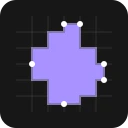
Vector Pixel Art is a Figma plugin that converts vector paths to pixel-art style by snapping edges to a clean pixel grid without rasterizing. It rewrites vector curves into hard pixel-grid edges while keeping them fully editable, maintaining components, design systems, and colors. Ideal for game developers, UI designers, and teams creating retro interfaces who want pixel-perfect exports directly from Figma.
Need help implementing Vector Pixel Art?
Find verified specialists who work with Vector Pixel Art
Key Features of Vector Pixel Art
- Convert vectors to pixel-grid edges without rasterizing
- Multiple grid sizes: 1×, 2×, 4×, 8×
- Batch convert thousands of vectors in one run
- Keep components, styles, and auto-layout intact
- Export as SVG, PNG, or any Figma format
- Fully editable vector output
- Colors remain intact
- Works with Figma Motion for animation
Who Should Use Vector Pixel Art?
Create pixel-art UI and retro interfaces in Figma
Generate game assets like tiles, maps, and sprites
Design virtual maps and platforms with pixel-clean exports
Build design systems with smooth and pixel variants from the same source
Animate pixel art in Figma Motion
Vector Pixel Art: Pros & Cons
✓Pros
- No rasterization — output stays as editable vectors
- Clean pixel-grid boundaries without anti-aliased halos
- Handles large scale — convert thousands of vectors at once
- Keeps design system integrity and components
- No tool switching required — works entirely in Figma
- Colors preserved on export
- Founding Member pricing available
✕Cons
- Not suitable for hand-painting pixel-by-pixel detail work
- Does not work with raster layers or photos
- Only processes vectors and shapes, not flat images
Tool Details
- Pricing
- Free
- Category
- Figma Plugins
- Added
- Jul 2026
More Figma Plugins Tools
7 tools in the same category

Design faster with smart content and AI-powered assets in Figma

Complete Figma design system for SaaS apps—8000+ components, instant consistency.
Export Figma designs to production-ready Webflow sites in minutes

AI-powered eye-tracking heatmaps to optimize design attention in seconds

Animate your designs in one click with AI

Automate LTR ↔ RTL conversion in Figma without breaking your design system

Inspect and reverse-engineer any website's design system instantly
Recently Added AI Tools
New tools added to the directory

AI-matched influencers for Melbourne brands - no cold outreach needed

One API for all your social media publishing, engagement, and analytics
Design system that connects Figma to React in minutes

Spot stock opportunities on TikTok before Wall Street notices
From the Blog
Latest guides and tips on AI tools
Best AI Tools for Ecommerce in 2026
Best AI Tools for Ecommerce in 2026
Best AI ToolsBest AI Tools for Digital Marketers in 2026
Best AI Tools for Digital Marketers in 2026
Best AI ToolsBest AI Tools for Freelancers in 2026
Best AI Tools for Freelancers in 2026
Best AI ToolsBest AI Tools for Small Business Owners in 2026
Best AI Tools for Small Business Owners in 2026
Best AI ToolsWant to list your AI tool on NextStair?
Submit Tool