
NextStair
Ad
ElevenLabs: AI Voice Generator | Sign Up Now FREE
Try Now

Best Payroll Tools 2026

Explore payroll software that automates employee payment calculation, tax withholding, compliance filings, and direct deposit - reducing payroll errors and compliance risk. Payroll mistakes are costly and demoralizing. Compare automated tax filing in your jurisdiction, employee self-service portals, benefits administration, contractor payment support, and integration with accounting and HR systems.

9 tools
Showing 1–9 of 9 tools
SkizzleHR - AI Automation for Payroll and Attendance

Complete HR management platform with AI automation and real-time analytics

Zaffre Axon - All-in-One HR & ERP

Complete HR + Operations in one connected window

PayClear - See Your Exact Paycheck After Taxes

See exactly what lands in your bank account - free US payroll calculators, no sign-up.

Tax & Time - Instant Calculations, No Signup Required

Free payroll and tax calculators that work instantly in your browser.

OrkManza HR Software - Payroll for Bangladesh SMEs

All-in-one HR and payroll software for Bangladesh SMEs
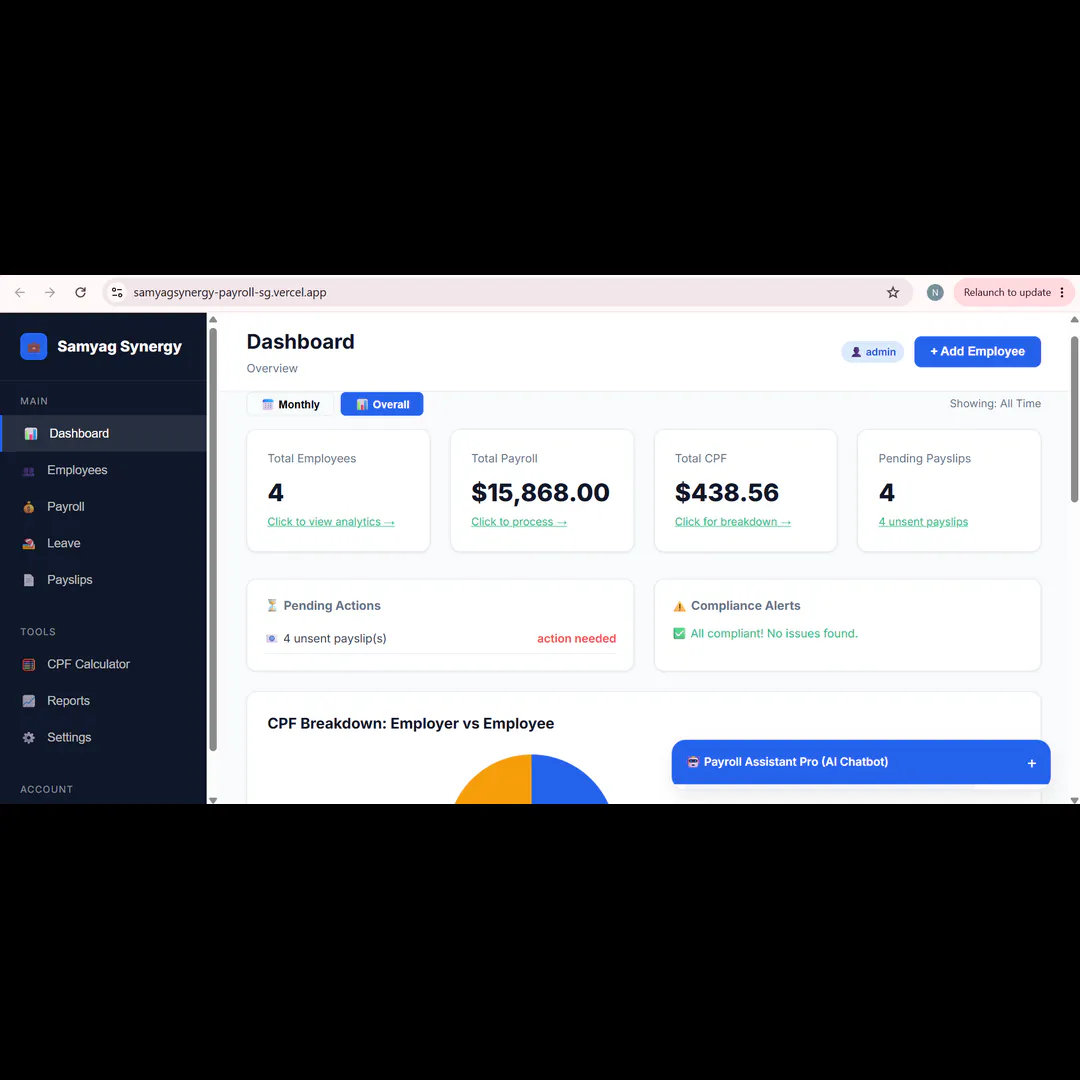
Samyag Synergy Payroll - Singapore Payroll via Chat Commands

AI-powered payroll management for Singapore businesses

Arbonum - Global Payments and Contractor Compliance

Compliance, contracts, and payouts - all in one platform

Frappe HR - Open-Source Payroll Without Per-User Fees

Open-source HR & Payroll built for teams that want flexibility without inflated costs

SigmaRemote - Global Contractor Payments, 160+ Countries

Pay global contractors anywhere, instantly, and compliantly.

Payroll tools calculate wages, withhold and file taxes, and pay employees on schedule, handling the compliance-heavy work that is easy to get wrong and costly when you do. For any business with employees, reliable payroll is not optional, and doing it by hand is a standing risk.

What payroll software handles

Core payroll runs gross-to-net calculations, deducts taxes and benefits, files with tax authorities, and issues pay by direct deposit. It also generates the year-end tax forms employees need. Many tools now cover contractors and international teams, adapting to different tax rules automatically.

Payroll in the finance system

Payroll connects to accounting so wage costs post to the books correctly, and to expense management for reimbursements paid alongside wages. It also links to onboarding, so a new hire's details flow straight into their first paycheck.

Frequently Asked Questions

What is the best payroll software for small businesses?
Gusto is the most popular modern payroll platform for US small businesses - automated federal/state tax filing, employee self-service portal, benefits integration, and contractor payments. ADP and Paychex serve mid-market and enterprise. QuickBooks Payroll integrates seamlessly for QuickBooks accounting users. Rippling combines payroll with HR and IT management for rapidly scaling teams.
What taxes does payroll software handle?
Payroll software calculates and deposits: federal income tax withholding, Social Security tax (6.2% employee + 6.2% employer), Medicare tax (1.45% + 0.9% additional for high earners), state income tax, state unemployment tax (SUTA), and federal unemployment tax (FUTA). Full-service payroll (Gusto, ADP) files quarterly 941s and annual W-2s and W-3s automatically. This compliance automation is the primary value of payroll software.
Can I use payroll software for contractors (1099 workers)?
Yes - most modern payroll platforms (Gusto, Rippling, Deel) handle contractor payments alongside W-2 employees. Contractor payments have simpler tax requirements (no withholding or employer tax matching) but require accurate 1099-NEC filing at year end for US contractors paid over $600. Deel specializes in global contractor and international employee payments with local compliance handling.
Why is payroll usually automated rather than done manually?
Because payroll is complex, deadline-driven, and unforgiving of errors. It involves calculating gross-to-net pay, withholding the correct income and payroll taxes, applying benefit deductions, filing with tax authorities on time, and generating year-end forms, all governed by rules that change and vary by location. Manual payroll is slow and prone to mistakes that trigger penalties or unhappy employees. Payroll software automates the calculations and filings, keeps up with changing tax rates, and dramatically reduces the risk of costly compliance errors.
Can payroll software handle both employees and contractors?
Most modern payroll tools handle both, though they are treated differently. Employees have taxes withheld, receive benefits, and generate forms like the W-2, while contractors are typically paid gross with no withholding and receive a 1099 or local equivalent. Good payroll software distinguishes the two, applies the correct tax treatment, and generates the right year-end documents for each. Many tools also support international contractors and employees, adapting to different countries' rules, which is valuable for teams that hire across borders.
What payroll taxes does the software handle automatically?
Payroll software typically calculates and withholds employee income tax, and the various payroll taxes such as Social Security and Medicare in the U.S. or their equivalents elsewhere, then remits both the employee and employer portions to the tax authorities. It also handles filings and generates year-end forms. The software keeps current with changing tax rates and thresholds, which is one of its main values, since these rules change regularly and vary by jurisdiction. This automation removes the largest source of payroll errors and penalties.