
NextStair
Ad
ElevenLabs: AI Voice Generator | Sign Up Now FREE
Try Now

Best UI Design Tools 2026

Explore professional UI design tools for creating digital product interfaces - app screens, web layouts, design systems, and interactive prototypes. These tools have largely standardized on vector-based, constraint-based layouts with component systems. Compare real-time collaboration quality, component/design system support, developer handoff features, prototyping capabilities, and ecosystem of plugins.

15 tools
Showing 1–15 of 15 tools
nxui - Animated Vue Components with Built-In Effects

Beautiful animated components for Vue

Untitled UI - 380,000+ Icon Set with React Components

The ultimate UI kit, React components, and icon library for modern design and development

A

Design app UIs in seconds with AI - no coding required

Rayna UI - Free 500+ Components & UI kit

6,700+ Components & Templates to Design Faster in Figma
UISqueezy - Design Token Sync Across Teams

One workspace for every design token your team creates.

Tailwind UI - 500+ Components from Tailwind CSS Creators

500+ beautifully designed components & templates by Tailwind CSS creators
Pennywise Fintech UI Kit - 690+ Islamic Screens

Islamic fintech Figma UI kit - 690+ screens, Zakat engine, RTL-native design system

Spark UI - Animated React Components with Motion

Components that make interfaces feel alive

Navy UI KIt - Astro SaaS Template with Dashboard

Sharp SaaS theme for Astro with pre-built pages and lifetime updates
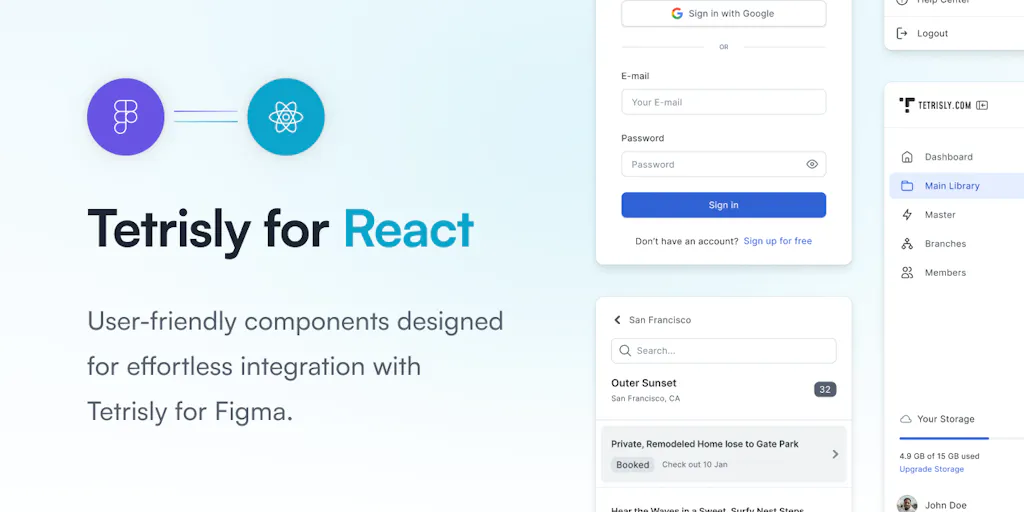
Tetrisly Design System - Figma and React Components Together

React more, code less with a complete design system for Figma and React

Keep Design System - Figma to React Code Sync

Design system that connects Figma to React in minutes
Mozaika - Design Specs from Live Sites

Real design specs for AI agents - measured from live sites, not guesses

Sponsored
AT
Atoms: Turn ideas into products
Opensource UI - Copy-Paste React Components, No Install

Copy-paste React components that feel premium and ship fast
pudge-ui - 2000s Nostalgia Components for AI Agents

Spec-first design system for 2000s nostalgia meets modern AI agents

Vortex - 123 Production-Ready Fintech Pages

Premium fintech dashboard: 123 pages, zero build tooling, Tailwind CSS 4.

UI design tools are where an interface takes its final visual form, the screens, components, and styling users actually see. Figma dominates this space, but the category covers every tool for designing polished, consistent interfaces, from the layout to the pixel-level detail that makes a product feel considered.

What UI design tools provide

They offer component systems, precise layout control, styling, and collaboration, so designers build interfaces that are both beautiful and consistent, with reusable elements that keep a product coherent as it grows.

UI tools in the design workflow

UI design follows wireframing and feeds prototyping, so these pair with the wireframing and prototyping tools, and AI now drafts interfaces via the AI UI generators.

Frequently Asked Questions

What is the best UI design tool?
Figma is the dominant UI design tool - it runs in the browser, enables real-time collaboration, and has the strongest design system and component library ecosystem. Sketch remains popular among macOS designers who prefer its performance and plugin ecosystem. Adobe XD was discontinued in 2023. Penpot is a growing open-source Figma alternative with self-hosting support.
What is a design system and why does it matter?
A design system is a collection of reusable components (buttons, inputs, cards, navigation patterns) with defined styles and usage rules - the single source of truth for a product's visual language. Well-maintained design systems dramatically accelerate design-to-development cycles, ensure visual consistency, and reduce rework when the brand updates. Figma's component and variant system is the most capable implementation of design systems available.
How do UI designers hand off designs to developers?
Modern design handoff uses tools like Figma's Dev Mode, Zeplin, or Supernova to give developers inspect access to spacing, colors, typography tokens, and export-ready assets without needing design software. Developers can view exact measurements, copy CSS properties, and download assets directly from the design file. Storybook bridges design systems between design and code.
What is the best UI design tool?
Figma is the dominant UI design tool at most companies, being collaborative, browser-based, and backed by the richest ecosystem of plugins and community resources. Sketch remains popular in Apple-centric teams, and Framer is gaining ground for design-to-code work. For most new designers and teams, Figma is the safe default since collaborators and employers most likely use it. Try it first, and consider alternatives only if you have a specific reason, since fluency in the industry-standard tool is broadly valuable and transfers across roles.
Is Figma free to use?
Figma offers a free tier that is genuinely capable, covering individual use and small projects with a limited number of files, which is enough for many people to learn and work. Paid plans add unlimited files, team features, advanced collaboration, and organization controls. For students, hobbyists, and light use, the free tier often suffices, while professional teams typically need a paid plan for the collaboration and file limits. Start free to learn and evaluate, and upgrade when your project count or team needs exceed what the free tier allows.
What is the difference between UI design tools and graphic design tools?
UI design tools like Figma are built specifically for designing digital interfaces, with component systems, constraints, states, and layout controls suited to screens and reusable design systems. Graphic design tools like Illustrator and Canva focus on visual assets, illustrations, logos, and marketing graphics, that are not interactive interfaces. The distinction is purpose: UI tools handle the structured, component-based work of product interfaces, while graphic design tools handle standalone visual creation. For designing an app or website interface, a dedicated UI tool fits far better than a general graphic design tool.