


AI Tab Manager - Search, Sleep & Manage
Auto-organize tabs, find anything instantly, sleep idle tabs to speed up your browser
What is Ai Tab Manager?
AI Tab Manager automatically organizes your browser tabs into color-coded groups like Work, Dev, Shopping, and Social with a single click. It uses AI to intelligently categorize tabs based on content, includes smart search to find tabs by description, and suspends idle tabs to free up RAM and improve browser performance. Perfect for anyone managing dozens of tabs across work, research, shopping, or development.
Need help implementing AI Tab Manager - Search, Sleep & Manage?
Find verified specialists who work with AI Tab Manager - Search, Sleep & Manage
Key Features of Ai Tab Manager
- AI Auto-Group tabs into 9 color-coded categories
- Smart Tab Search by description
- Sleep Idle Tabs to free RAM
- 150+ built-in classification rules
- No manual dragging or setup required
- Private - no accounts or data collection
- Lightweight with no background tracking
Who Should Use Ai Tab Manager?
Developers organizing GitHub, documentation, and Stack Overflow tabs
Students managing research papers and lecture materials
Remote workers juggling email, meetings, and project tabs
Shoppers comparing products across multiple stores
Anyone managing 30+ open tabs
Ai Tab Manager: Pros & Cons
✓Pros
- One-click auto-organization with no setup or learning curve
- Works instantly with 150+ built-in rules
- Consistent results - same tabs always group together
- Lightweight with no new tab takeover or bloat
- Private - no accounts, data collection, or ads
- Color-coded groups for easy visual recognition
- Immediate performance boost from sleeping tabs
Frequently Asked Questions about Ai Tab Manager
How does AI Tab Manager organize my tabs?
Click the extension icon and select Auto-Group. The AI reads your open tabs and instantly sorts them into color-coded categories like Work, Dev, Shopping, Social, Media, Research, Finance, News, and Travel. No manual dragging or setup required.
Can I search for a specific tab?
Yes, use Smart Tab Search to describe what you're looking for - for example "React article" or "budget spreadsheet" - and the AI will find it for you without needing exact titles.
How does sleeping tabs help my browser?
Tabs you haven't used recently are quietly suspended. They stay in your tab bar but stop consuming memory, making your browser faster and your laptop cooler. Click any sleeping tab to wake it instantly.
Is my data private and secure?
Yes, AI Tab Manager requires no accounts, collects no data, displays no ads, and does not track your activity. It operates completely privately on your browser.
Do I need to configure anything to get started?
No setup is needed. Sleep Idle and domain-based grouping work immediately. AI-powered smart grouping and search are ready to use right away.
Tool Details
- Pricing
- Free
- Languages
- English
- Category
- Productivity Chrome Ext
- Added
- Jul 2026
More Productivity Chrome Ext Tools
7 tools in the same category
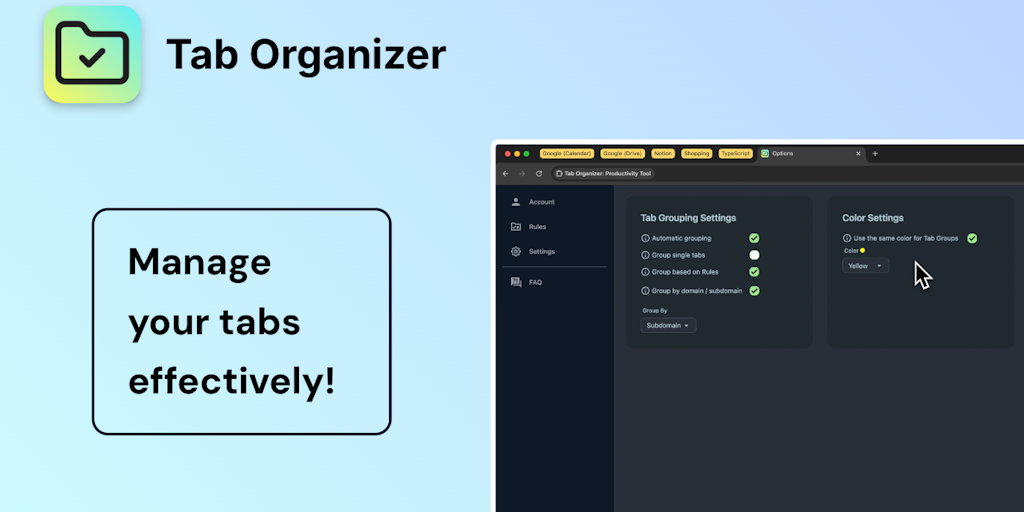
Transform tab chaos into organized bliss with smart grouping

Save websites visually. Find inspiration instantly.

AI-powered focus blocker that keeps distractions out, even across browser tabs.

AI agent in your sidebar—automate, organize, and research the web without breaking focus

Your personal search engine—organize everything, find anything effortlessly

AI bookmark manager that finds anything instantly—no folders, no friction.

Save, organize, and restore tab sessions with privacy-first tab management.
Recently Added AI Tools
New tools added to the directory

Deploy AI workers that take real actions in your systems, 24/7.

Free API to extract Open Graph data from any URL instantly

From the Blog
Latest guides and tips on AI tools
Best AI Tools for Ecommerce in 2026
Best AI Tools for Ecommerce in 2026
Best AI ToolsBest AI Tools for Digital Marketers in 2026
Best AI Tools for Digital Marketers in 2026
Best AI ToolsBest AI Tools for Freelancers in 2026
Best AI Tools for Freelancers in 2026
Best AI ToolsBest AI Tools for Small Business Owners in 2026
Best AI Tools for Small Business Owners in 2026
Best AI ToolsWant to list your AI tool on NextStair?
Submit Tool