

Tab Organizer
Transform tab chaos into organized bliss with smart grouping
What is Tab Organizer?
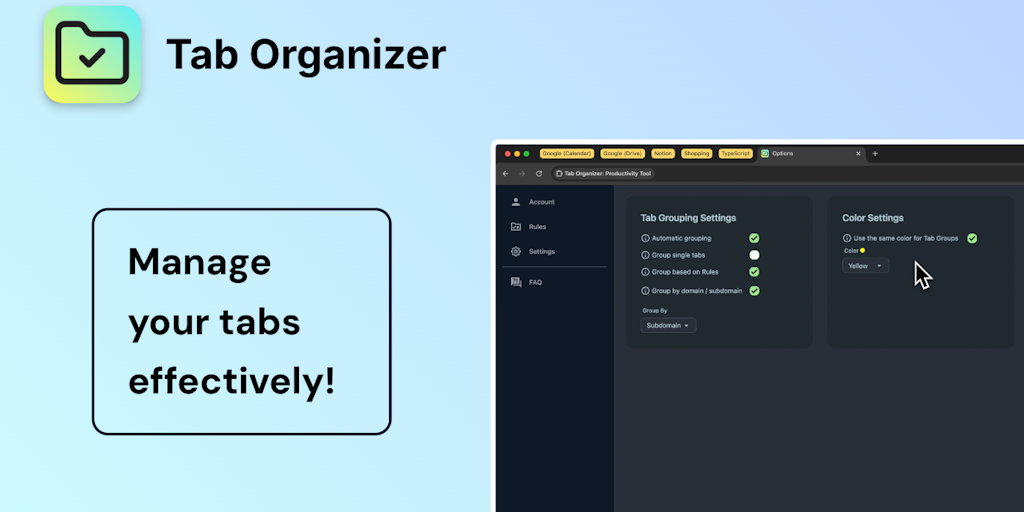
Tab Organizer solves browser tab overload by automatically grouping and organizing tabs by domain, custom rules, and user preferences. It works as a Chrome extension that intelligently categorizes open tabs, allows saving/restoring tab sessions, and provides one-click duplicate removal. Ideal for power users, researchers, and professionals managing multiple workflows.
Need help implementing Tab Organizer?
Find verified specialists who work with Tab Organizer
Key Features of Tab Organizer
- Group tabs by domain or subdomain
- Automatically group tabs based on custom rules
- Save and restore tab sessions
- Customize tab group colors
- Close duplicate tabs in one click
- Sort tabs by domain or title
- Sort tab groups by title
- Expand and collapse all tab groups
- Ungroup tab groups when needed
Who Should Use Tab Organizer?
Organize research across multiple websites
Manage work projects with grouped browser sessions
Reduce clutter for power users with many open tabs
Save and restore browser states for different workflows
Streamline development work with grouped resources
Tab Organizer: Pros & Cons
✓Pros
- Fully automated tab grouping by domain and custom rules
- One-click duplicate tab closure
- Color customization for visual organization
- Save and restore complete tab sessions
- Beautiful and intuitive user interface
- Active developer support and maintenance
- Responsive to user feature requests
Frequently Asked Questions about Tab Organizer
How does Tab Organizer automatically group my tabs?
The extension groups tabs by domain, subdomain, or custom rules you define. It works automatically to organize your open tabs without manual intervention.
Can I save my current tab configuration?
Yes, you can save your current tabs and tab groups for later use and quickly restore them with a single click whenever needed.
Does it remove duplicate tabs?
Yes, Tab Organizer can close all duplicate tabs in one click, helping reduce clutter in your browser.
Can I customize how my tab groups look?
You can personalize tab groups with a range of colors and set the same color for all tab groups if desired.
Tool Details
- Pricing
- Free
- Category
- Productivity Chrome Ext
- Added
- Jul 2026
More Productivity Chrome Ext Tools
7 tools in the same category

Auto-organize tabs, find anything instantly, sleep idle tabs to speed up your browser

Save websites visually. Find inspiration instantly.

AI-powered focus blocker that keeps distractions out, even across browser tabs.

AI agent in your sidebar—automate, organize, and research the web without breaking focus

Your personal search engine—organize everything, find anything effortlessly

AI bookmark manager that finds anything instantly—no folders, no friction.

Save, organize, and restore tab sessions with privacy-first tab management.
Recently Added AI Tools
New tools added to the directory

Deploy AI workers that take real actions in your systems, 24/7.

Free API to extract Open Graph data from any URL instantly

From the Blog
Latest guides and tips on AI tools
Best AI Tools for Ecommerce in 2026
Best AI Tools for Ecommerce in 2026
Best AI ToolsBest AI Tools for Digital Marketers in 2026
Best AI Tools for Digital Marketers in 2026
Best AI ToolsBest AI Tools for Freelancers in 2026
Best AI Tools for Freelancers in 2026
Best AI ToolsBest AI Tools for Small Business Owners in 2026
Best AI Tools for Small Business Owners in 2026
Best AI ToolsWant to list your AI tool on NextStair?
Submit Tool