

EaseUS Vocal Remover - Remove Vocals from Songs
Remove vocals from songs in 3 steps with AI - no download needed
What is Easeus Vocal Remover?
EaseUS Vocal Remover is a cloud-based AI tool that separates vocals from music tracks without requiring downloads or high-spec hardware. Using advanced AI algorithms, it can extract vocals, remove instrumentals, split stems (drums, bass, guitar, piano), and remove audio effects like echo and reverb. It's designed for music producers, DJs, content creators, and anyone needing to remix, create karaoke versions, or extract acapellas from songs.
Need help implementing EaseUS Vocal Remover - Remove Vocals from Songs?
Find verified specialists who work with EaseUS Vocal Remover - Remove Vocals from Songs
Key Features of Easeus Vocal Remover
- Vocal Remover – separate vocals from instrumental
- Stem Splitter – isolate drums, bass, guitar, piano
- Acapella Extractor – extract vocals from music
- Instrumental Remover – remove instrumental tracks
- Lead & Back Splitter – separate lead from background vocals
- Echo Remover – remove echo from audio
- Reverb Remover – remove reverb from audio
- Noise Reducer – remove background noise
- AI Music Generator – create AI-generated songs
- Lyric Studio – generate AI lyrics
- AI Mastering – professional-level audio mastering
- Key BPM Finder – detect key and tempo
- Pitch Changer – adjust pitch
Who Should Use Easeus Vocal Remover?
Create karaoke versions of songs
Remix music tracks
Extract acapellas for covers
Isolate drums or bass for sampling
Remove background noise from recordings
Create instrumental versions for DJs
Generate music covers with voice studio
Easeus Vocal Remover: Pros & Cons
✓Pros
- No download required - cloud-based processing
- Supports multiple audio formats (MP3, WAV, M4A, FLAC, etc.)
- Up to 60-minute file duration and 1GB file size limits
- 80% improved separation with advanced AI models
- 2X faster audio extraction
- Works across Web, Android, and iOS
- Over 500,000 users and 4 million minutes of audio processed
- Free to use
Frequently Asked Questions about Easeus Vocal Remover
What audio formats can I upload to EaseUS Vocal Remover?
EaseUS Vocal Remover supports MP3, WAV, M4A, and FLAC files. The cloud-based tool accepts uploads up to 1GB in size and can process tracks up to 60 minutes long, so most music files will work without conversion.
Can EaseUS Vocal Remover isolate individual instruments like drums or bass?
Yes, the stem splitter feature isolates drums, bass, guitar, and piano as separate tracks. This is useful if you need to sample a specific instrument or create instrumental versions without manually removing parts.
Does EaseUS Vocal Remover work on mobile devices?
EaseUS Vocal Remover runs in a web browser and also has native Android and iOS apps, so you can process audio from your phone or tablet without installing desktop software. All processing happens in the cloud.
What can I do with the free version of EaseUS Vocal Remover?
EaseUS does not publish detailed limits for its free tier, so check their site to see what file size, duration, or processing restrictions apply before uploading your first track. The tool is free to use, but paid plans may offer higher limits or faster processing.
Tool Details
- Company
- EaseUS
- Pricing
- Free
- Languages
- English, Italian, German, Japanese, Spanish, Portuguese, Traditional Chinese, French, Korean, Russian, Arabic, Turkish, Indonesian, Filipino, Thai
- Category
- Ai Vocal Remover
- Added
- Jun 2026
- Last Updated
- Jul 2026
More Ai Vocal Remover Tools
7 tools in the same category
Isolate any sound from audio with AI-powered text, visual, or time prompts
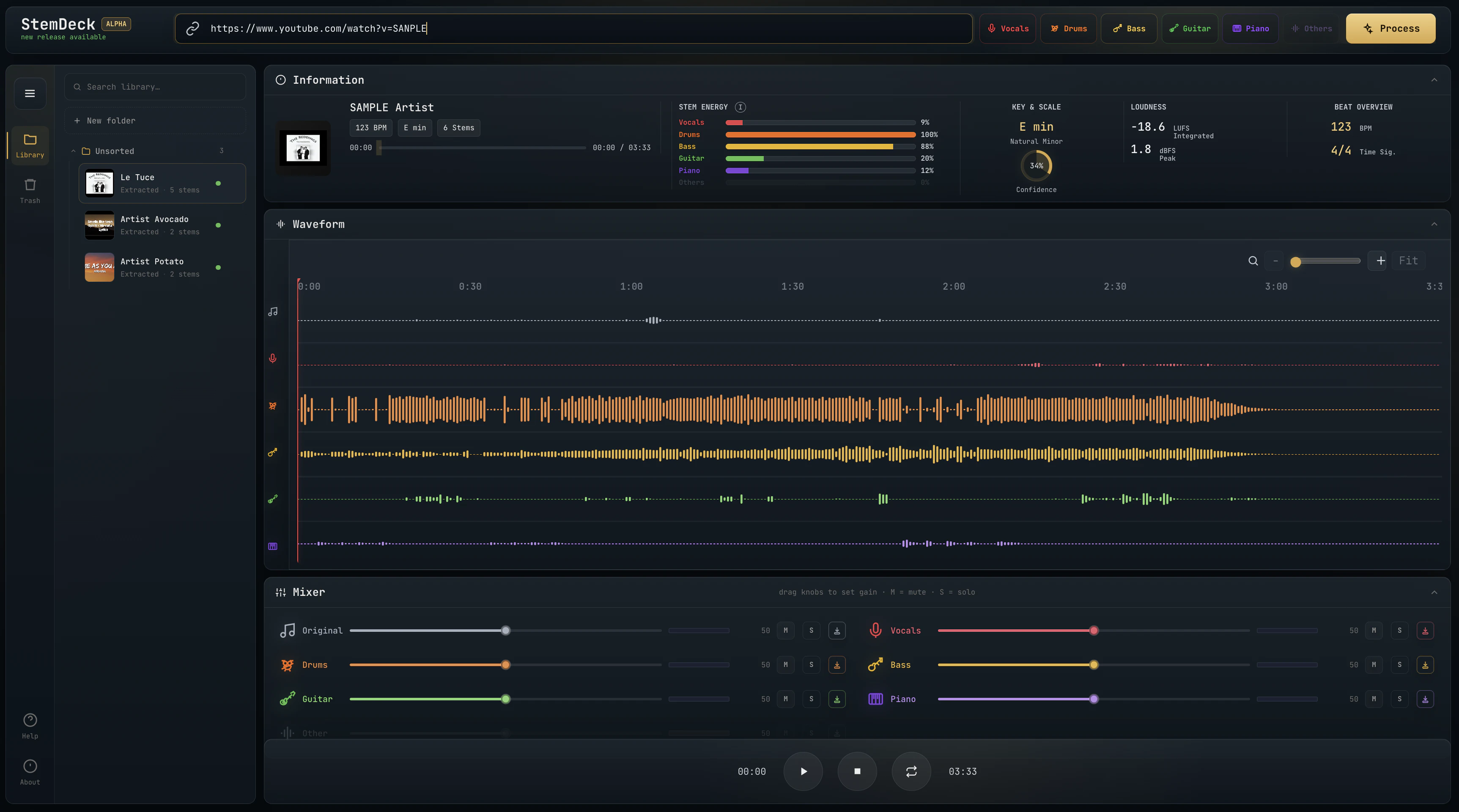
Free local stem separation. No account. No upload. No subscription.

Free AI vocal remover - isolate vocals & instrumentals in seconds, no sign-up needed

Separate vocals and instruments locally, no uploads, lifetime access for $47.70
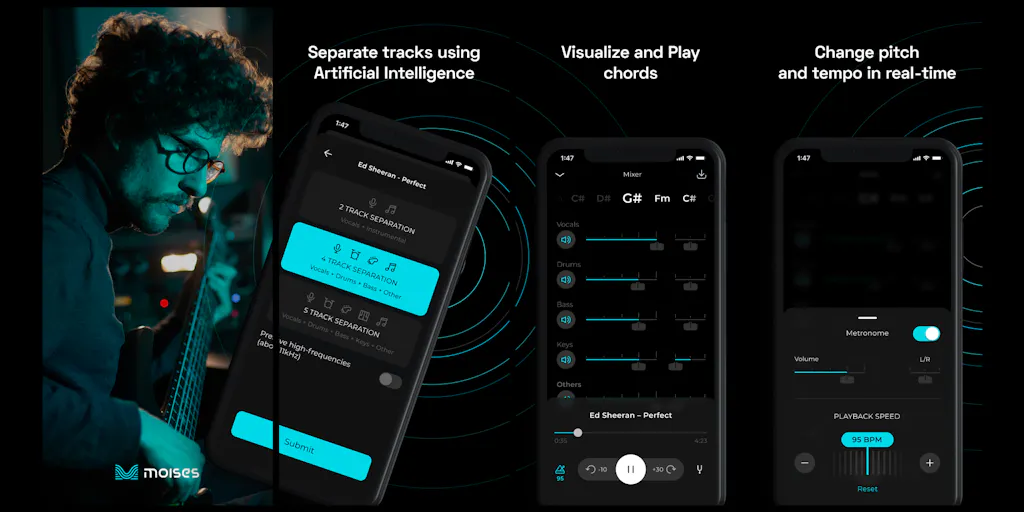
The creative suite for musicians to practice, perform, create, and collaborate anywhere.

Free AI vocal remover - create instrumentals instantly in your browser

Pro-level vocal removal and stem splitting powered by AI
Recently Added AI Tools
New tools added to the directory



Share PDFs securely - no account, no trace, automatic expiration.

Batch download & auto-organize TikTok, Instagram, YouTube videos in one command
From the Blog
Latest guides and tips on AI tools
Free Logo Maker Apps in 2026
Free Logo Maker Apps in 2026
AI Image GenerationBest AI Tools for Ecommerce in 2026
Best AI Tools for Ecommerce in 2026
Best AI ToolsBest AI Tools for Digital Marketers in 2026
Best AI Tools for Digital Marketers in 2026
Best AI ToolsBest AI Tools for Freelancers in 2026
Best AI Tools for Freelancers in 2026
Best AI ToolsWant to list your AI tool on NextStair?
Submit Tool