


EditWithAva
AI video editing on autopilot—from raw footage to ready-to-post in minutes
What is Editwithava?
EditWithAva is an AI-powered video editing platform that transforms raw footage into ready-to-post videos automatically. It analyzes your footage's visuals, audio, and metadata, then generates edited videos based on your prompts or briefs. Designed for content creators, agencies, and teams who need to produce multiple video variations quickly without spending hours on manual editing.
Need help implementing EditWithAva?
Find verified specialists who work with EditWithAva
Key Features of Editwithava
- Auto-remove mistakes, bad takes and pauses
- Generate multiple hooks per video with different edits
- Auto zoom & crop with dynamic zoom-in effects
- AI voiceover generation
- Talking head video creation
- Interview highlight recaps
- Narrated video generation
- Batch processing for multiple videos
Who Should Use Editwithava?
Create short-form content for social media
Generate multiple A/B video variations for testing
Produce interview highlight reels
Create talking head videos with AI voiceovers
Batch edit raw footage for content teams
Generate narrated video content from scripts
Editwithava: Pros & Cons
✓Pros
- Reduces editing time from ~35 hours to ~2 hours for 10 videos
- Automatic removal of mistakes and bad takes
- Multiple hook generation for A/B testing
- Dynamic zoom and crop that follows action
- Supports multiple video formats (talking head, interview, narrated, etc.)
- Easy prompt-based workflow
- No manual trimming or cutting required
Frequently Asked Questions about Editwithava
How much time does EditWithAva save on video editing?
EditWithAva reduces editing time from approximately 35 hours to about 2 hours for 10 videos compared to traditional editing workflows.
What types of videos can I create with EditWithAva?
You can create talking head videos, interviews, highlight recaps, narrated videos, and videos with AI voiceovers.
How does the editing process work?
You import your raw footage, prompt your desired edit (or use a sample prompt), and Ava analyzes the visuals, audio, and metadata to generate edited videos that you can review and revise.
Can I generate multiple versions of the same video?
Yes, you can test multiple hooks per video and get different output edits for each hook variation.
Does EditWithAva automatically handle cutting and cleanup?
Yes, Ava automatically removes mistakes, bad takes, pauses, and handles zoom and crop effects with dynamic zoom-in that follows the action.
Tool Details
- Pricing
- Free
- Languages
- English, German
- Category
- Pro Video Editors
- Added
- Jul 2026
More Pro Video Editors Tools
7 tools in the same category

The video editor built for AI — generate and edit directly in your timeline
Turn podcasts into viral clips and show notes in seconds


Turn podcasts into viral clips with AI—edit by text, runs locally, completely free.
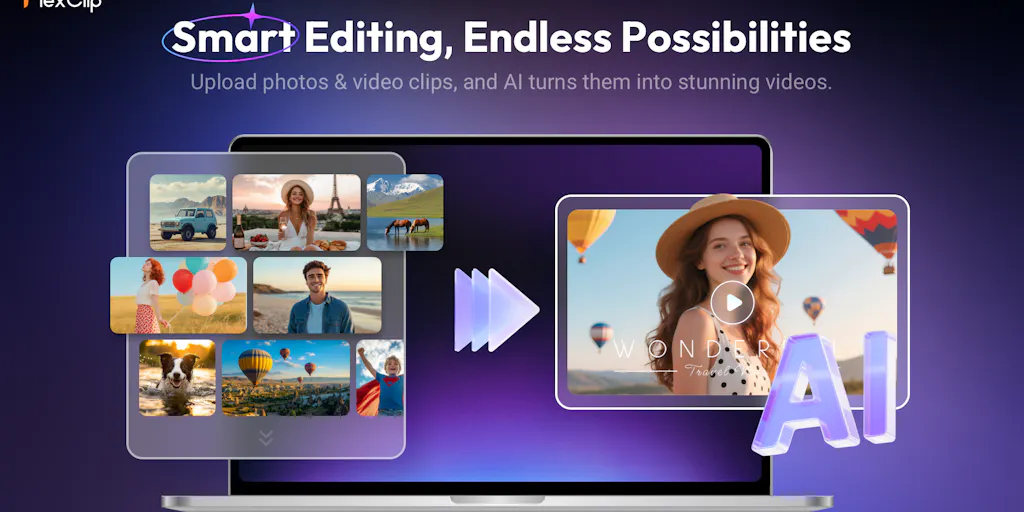
Create professional videos in minutes with AI avatars and smart templates.

Turn articles into professional videos in minutes with AI + human expertise

Recently Added AI Tools
New tools added to the directory

Deploy AI workers that take real actions in your systems, 24/7.

Free API to extract Open Graph data from any URL instantly


From the Blog
Latest guides and tips on AI tools
Best AI Tools for Ecommerce in 2026
Best AI Tools for Ecommerce in 2026
Best AI ToolsBest AI Tools for Digital Marketers in 2026
Best AI Tools for Digital Marketers in 2026
Best AI ToolsBest AI Tools for Freelancers in 2026
Best AI Tools for Freelancers in 2026
Best AI ToolsBest AI Tools for Small Business Owners in 2026
Best AI Tools for Small Business Owners in 2026
Best AI ToolsWant to list your AI tool on NextStair?
Submit Tool