


PomodoTree - Pomodoro Timer with Virtual Forest Growth
Pomodoro timer + site blocker + 15+ tools in one Chrome extension
Add your screenshot here
Image or video shown in this spot
What is Pomodotree?
PomodoTree is an all-in-one productivity Chrome extension combining a Pomodoro focus timer, website blocker, to-do list, time tracker, and 15+ other tools in one browser extension. It uses the proven Pomodoro Technique to break work into timed focus sessions with breaks, reducing mental fatigue while gamifying productivity through a virtual forest that grows with each completed session. Designed for students, developers, and professionals who need to stay focused and organized without juggling multiple extensions.
Need help implementing PomodoTree - Pomodoro Timer with Virtual Forest Growth?
Find verified specialists who work with PomodoTree - Pomodoro Timer with Virtual Forest Growth
Key Features of Pomodotree
- Customizable Pomodoro timer with focus, short break, and long break sessions
- Website blocker with keyword-based category blocking
- Virtual forest gamification that grows with completed sessions
- Session streak counter and focus heatmap
- Desktop notifications and completion sounds
- To-do list and time tracker
- YouTube, TikTok, Instagram, and Facebook strict mode blocking
- Text-to-handwriting converter
- Resume builder
- Whiteboard tool
- Screenshot functionality
- 4 theme options (Forest, Desert, Winter, Jungle)
- Background timer that continues when popup is closed
- Achievements and milestones tracking
Who Should Use Pomodotree?
Students preparing for exams and maintaining focus during study sessions
Developers in deep work mode avoiding distractions
Professionals managing daily tasks and time management
Anyone looking to reduce social media and entertainment site distractions
Teams tracking productivity and focus patterns
Pomodotree: Pros & Cons
✓Pros
- Combines 8+ tools into one extension, reducing clutter
- Gamification through virtual forest encourages consistent focus
- Flexible website blocking with keyword-based categories
- Visual focus heatmap for tracking patterns
- Background timer functionality
- Strict mode for major social platforms
- Free to install on Chrome
- Positive user ratings (4.9 stars)
- No history of policy violations
Frequently Asked Questions about Pomodotree
Can I block websites by keyword category, or do I have to list each URL individually?
PomodoTree blocks websites using keyword-based categories, so you can filter entire classes of sites rather than maintaining a manual blocklist. You can also enable strict mode for major platforms like YouTube, TikTok, Instagram, and Facebook to prevent access during focus sessions regardless of how you navigate to them.
Does the Pomodoro timer keep running if I close the extension popup?
Yes. PomodoTree has a background timer that continues running when you close the popup, so you can minimize the extension and keep working without losing your session countdown. You will still receive desktop notifications when your timer completes.
What data does PomodoTree track for the focus heatmap and session streak?
The extension tracks your completed Pomodoro sessions to build a focus heatmap showing when you work most productively and maintains a session streak counter to show your consecutive days of focus work. Both features feed into the gamification system alongside the virtual forest that grows with each completed session.
Does PomodoTree work offline, or do I need a connection while timing my Pomodoro sessions?
PomodoTree does not publish whether offline functionality is supported; check their Chrome Web Store page or documentation before relying on it for offline work.
Tool Details
- Pricing
- Free
- Category
- Time Tracking
- Added
- Jul 2026
- Last Updated
- Jul 2026
More Time Tracking Tools
7 tools in the same category
Free timesheet calculator - calculate hours, overtime, and pay instantly
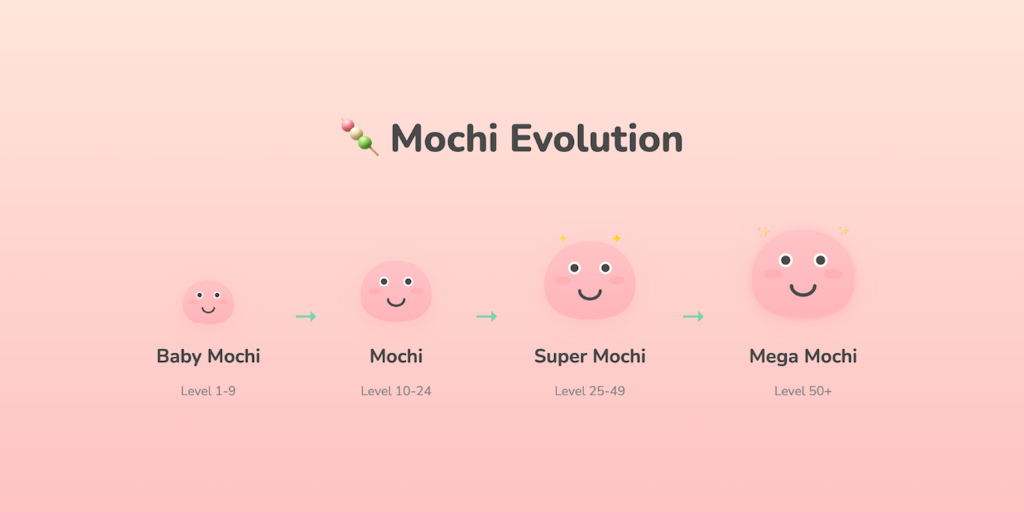
Cute productivity companion with Pomodoro timer, site blocker & evolving mascot

Turn your focus sessions into airplane flights

Free online stopwatch with lap tracking and instant data export

Simple to-do list & timer app that gives you superpowers

A calmer way to get into flow, right at the edge of your screen

Distraction-free focus timer with no accounts or subscriptions
Recently Added AI Tools
New tools added to the directory



Share PDFs securely - no account, no trace, automatic expiration.

Batch download & auto-organize TikTok, Instagram, YouTube videos in one command
From the Blog
Latest guides and tips on AI tools
Free Logo Maker Apps in 2026
Free Logo Maker Apps in 2026
AI Image GenerationBest AI Tools for Ecommerce in 2026
Best AI Tools for Ecommerce in 2026
Best AI ToolsBest AI Tools for Digital Marketers in 2026
Best AI Tools for Digital Marketers in 2026
Best AI ToolsBest AI Tools for Freelancers in 2026
Best AI Tools for Freelancers in 2026
Best AI ToolsWant to list your AI tool on NextStair?
Submit Tool