NextStair
Ad
ElevenLabs: AI Voice Generator | Sign Up Now FREE
Try Now

Best Time Tracking 2026

Browse time tracking tools that help individuals, freelancers, and teams record how time is spent - enabling accurate client billing, project profitability analysis, and productivity insights. These tools range from manual timers to automatic activity tracking. Compare manual vs. automatic tracking accuracy, project and client tagging, invoice generation, and integrations with project management tools.

12 tools
Showing 1–12 of 12 tools
Calculate Work Hours - Timesheet Calculator with Overtime Pay

Free timesheet calculator - calculate hours, overtime, and pay instantly
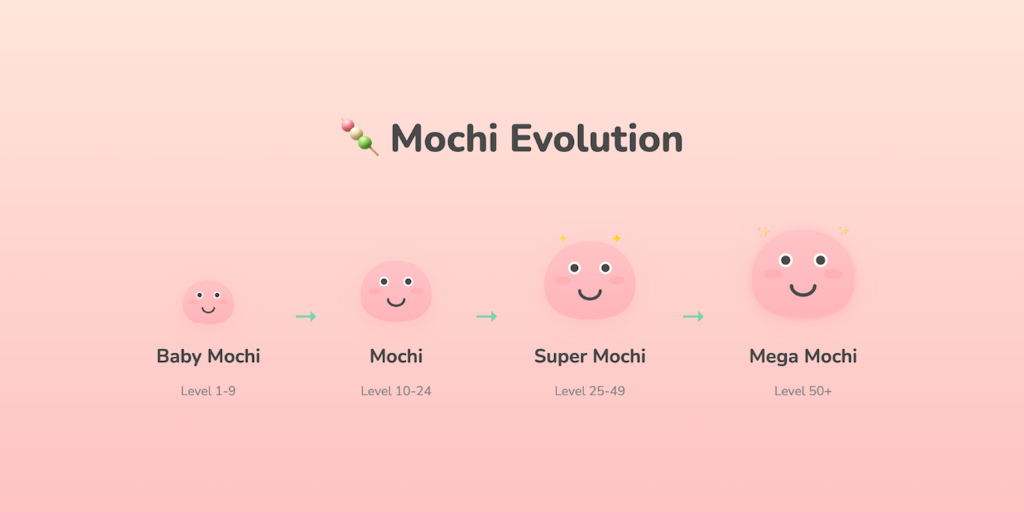
Mochi Focus - Pomodoro Timer with Evolving Mascot

Cute productivity companion with Pomodoro timer, site blocker & evolving mascot

Deep Focus Flight - Gamified Pomodoro with App Blocking

Turn your focus sessions into airplane flights

Stopwatch.is - Lap Tracking with Data Export

Free online stopwatch with lap tracking and instant data export

Blitzit - AI Converts Thoughts into Task Lists

Simple to-do list & timer app that gives you superpowers

Focus Buddy - Get Into Flow Calmly

A calmer way to get into flow, right at the edge of your screen

Koku - Pomodoro Timer Without Accounts

Distraction-free focus timer with no accounts or subscriptions

Focus Nest - Deep Work Timer

Measure focus quality, not just time - with Integrity Score™
PomodoTree - Pomodoro Timer with Virtual Forest Growth

Pomodoro timer + site blocker + 15+ tools in one Chrome extension

Layn - Site Blocker with Visual Progress Bar

A focus timer that blocks distractions and keeps you in your lane.

Polytimer - Multiple Timers Running Simultaneously

Free online timer, stopwatch & Pomodoro - no signup, no ads, runs in your browser

Punch Time Tracker - Time Blocking Inside Airtable

Make every minute pack a punch with Airtable time tracking

Time tracking tools record where hours actually go, whether for client billing, capacity planning, or spotting the meetings quietly eating a week. The best ones fade into the background: a timer that starts with a keystroke or an automatic log that categorizes app usage without constant input.

What time tracking software measures

Tools split into two styles. Timer-based apps like Toggl start and stop against a task, giving clean billable records. Automatic trackers watch which apps and sites you use and build a timeline you review later. Teams that bill clients need the first; individuals fighting distraction often prefer the second.

Time tracking inside project workflows

Logged hours are most useful next to the work they describe. Many all-in-one platforms track time per task, and billable hours flow straight into invoice generators. If accuracy matters, pick a tool that nudges you when a timer runs too long or catches idle time.

Frequently Asked Questions

What is the best free time tracking tool?
Toggl Track is the most popular free time tracker - clean interface, browser extension for one-click tracking, project organization, and reporting. Clockify is a strong alternative with unlimited users on the free plan. Harvest combines time tracking with invoicing. For automatic tracking without manual timers, Timing (Mac) and Timely use AI to detect what you are working on from app and document usage.
How do I track time accurately as a freelancer?
Use a timer-based tool (not retrospective estimates) - start the timer when you begin work, stop it when you stop. Organize tracked time by client and project immediately. Round to the nearest 6 or 15 minutes for billing clarity. Review weekly to catch unlogged sessions. Tools like Toggl Track's browser extension and mobile app reduce friction to near zero for starting and stopping timers throughout the day.
What is the difference between time tracking and project management?
Project management tools (Asana, Jira) plan and assign work. Time tracking tools record how long actual execution takes. Many PM tools have basic time tracking; dedicated time trackers have better reporting, billing integration, and accuracy for client work. For agencies and consultancies billing by the hour, dedicated time tracking is non-negotiable. For internal teams, PM-integrated tracking is often sufficient.
What is the difference between manual and automatic time tracking?
Manual tracking uses a start-stop timer or timesheet you fill in against specific tasks, giving precise, intentional records that suit client billing. Automatic tracking runs in the background and logs which apps, files, and sites you use, then builds a timeline you categorize afterward. Manual is more accurate for billable work because you control what counts; automatic captures the full picture with no effort and is better for personal productivity analysis. Some tools combine both.
Is employee time tracking software worth the friction?
It depends on why you use it. Time tracking is genuinely useful for client billing, project estimation, and understanding where capacity goes, and teams generally accept it for those reasons. Used as surveillance, it damages trust and encourages gaming the numbers. The tools that succeed focus on aggregate insight and billing accuracy rather than monitoring individuals minute by minute, and they are transparent with the team about what is tracked and why.
Can time tracking data improve project estimates?
Yes, and this is one of its most valuable uses. When you track actual hours against tasks, you build a record of how long similar work really takes, which is almost always different from the initial guess. Over time this history lets you estimate future projects from data rather than optimism, reducing the chronic underestimation that derails schedules. The key is tracking consistently enough that the historical data is trustworthy.