


ReadAloud - Podcast-Quality Voices for Web Articles
Listen to any article with podcast-quality AI voices
Add your screenshot here
Image or video shown in this spot
What is Readaloud?
ReadAloud is a Chrome extension that converts any web article into natural-sounding speech using podcast-quality AI voices. It works by adding a slim player to the edge of web pages, letting you listen while cooking, commuting, or resting your eyes. The tool processes everything locally on your device for privacy, supports playback speeds up to 3.5×, and works offline after downloading a voice once.
Need help implementing ReadAloud - Podcast-Quality Voices for Web Articles?
Find verified specialists who work with ReadAloud - Podcast-Quality Voices for Web Articles
Key Features of Readaloud
- In-page player on any site
- Podcast-quality AI voices (Claire, Sophia, Michael, James, Emma, George)
- System voice included
- Playback speeds up to 3.5×
- Rewind by sentence
- AI voices run offline
- Local processing (never uploaded)
- Works without internet connection
- Switch voices while playing
- Click any word to jump
- Sentence highlighting with teal tint
Who Should Use Readaloud?
Clearing reading backlogs while commuting
Listening to articles while cooking
Resting eyes while staying informed
Consuming content during travel
Multitasking with longer articles
Accessible content consumption
Readaloud: Pros & Cons
✓Pros
- Completely free for daily use
- No credit card required
- Podcast-quality natural voices
- Private by design (local processing)
- Works offline after voice download
- No waiting or downloads for system voice
- Small unobtrusive player design
- Easy to use (three steps)
- Voice switching during playback
- Clear audio at high playback speeds
Frequently Asked Questions about Readaloud
How do I install ReadAloud?
Click 'Add to Chrome' on the homepage, complete a quick Google sign-in, and you're done in about ten seconds.
Does ReadAloud work offline?
Yes, once you download a voice (which happens automatically), ReadAloud works completely offline - even on planes or subways.
Is my reading data tracked or uploaded?
No, ReadAloud processes everything locally on your device. Your reading is never uploaded or logged.
What voices does ReadAloud offer?
ReadAloud includes a system voice on your device, plus six natural AI voices: Claire, Sophia, and Michael (US), and Emma and George (UK).
How much does ReadAloud cost?
ReadAloud is completely free for daily use with no credit card required.
Tool Details
- Pricing
- Free
- Category
- Ai Chrome Ext
- Added
- Jul 2026
- Last Updated
- Jul 2026
More Ai Chrome Ext Tools
7 tools in the same category

Chat with all AI models in one free, powerful assistant
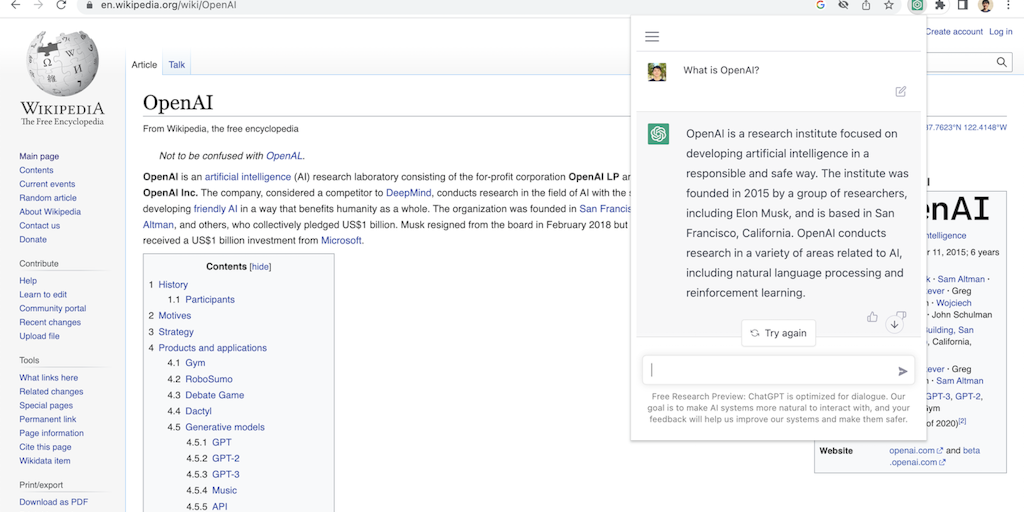
Access ChatGPT from anywhere on the web with one click

Translate, summarize & explain web text instantly with private AI

SEO data + AI search tracking in one Chrome extension

Productivity apps in your Chrome sidebar - no tab switching needed

Native OS AI that stays in your flow - no tab switching, no context loss.

Private on-device AI copilot that works offline, instantly.
Recently Added AI Tools
New tools added to the directory



Share PDFs securely - no account, no trace, automatic expiration.

Batch download & auto-organize TikTok, Instagram, YouTube videos in one command
From the Blog
Latest guides and tips on AI tools
Free Logo Maker Apps in 2026
Free Logo Maker Apps in 2026
AI Image GenerationBest AI Tools for Ecommerce in 2026
Best AI Tools for Ecommerce in 2026
Best AI ToolsBest AI Tools for Digital Marketers in 2026
Best AI Tools for Digital Marketers in 2026
Best AI ToolsBest AI Tools for Freelancers in 2026
Best AI Tools for Freelancers in 2026
Best AI ToolsWant to list your AI tool on NextStair?
Submit Tool