
NextStair
Ad
ElevenLabs: AI Voice Generator | Sign Up Now FREE
Try Now

Best AI Chrome Extensions 2026

Discover AI Chrome extensions that integrate artificial intelligence directly into your browser - providing writing assistance, summarization, translation, research support, and productivity enhancements across any website you visit. These extensions bring AI capabilities to your existing workflow without switching tools. Compare AI model quality, privacy practices, context awareness, and supported use cases.

12 tools
Showing 1–12 of 12 tools
Monica - Chat Every Major AI Model Together

Chat with all AI models in one free, powerful assistant
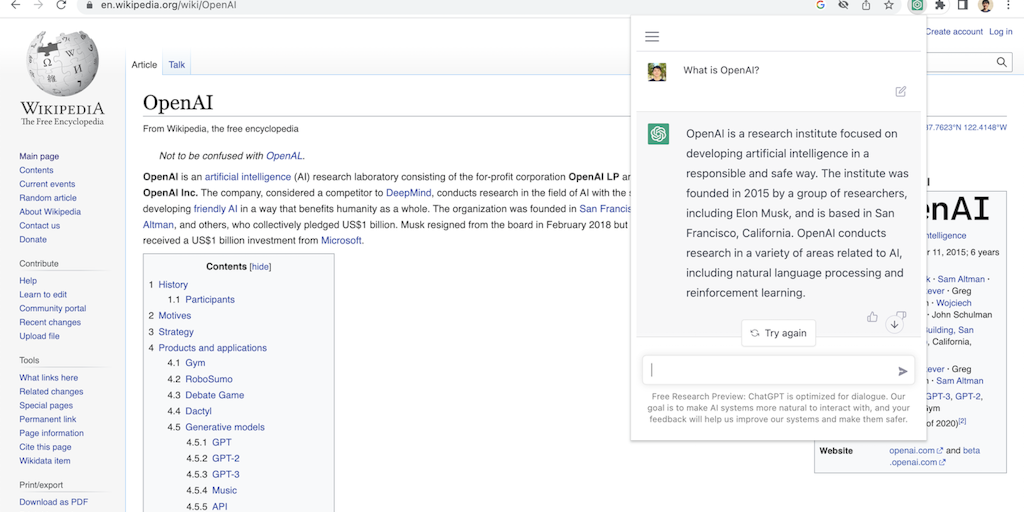
ChatGPT for Chrome Extension - One-Click Access

Access ChatGPT from anywhere on the web with one click

ColibotAI - Private AI Without Signup or Tracking

Translate, summarize & explain web text instantly with private AI

ChatSonic - ChatGPT Chrome Extension

SEO data + AI search tracking in one Chrome extension

Manganum - Productivity Apps in Chrome Sidebar

Productivity apps in your Chrome sidebar - no tab switching needed

Everywhere - AI Without Leaving Your App

Native OS AI that stays in your flow - no tab switching, no context loss.

NeuraBayt - Private On-Device AI, Works Offline

Private on-device AI copilot that works offline, instantly.

Sop software - Auto-Generate SOPs from Recorded Workflows

Record workflows once, auto-generate SOPs with screenshots instantly

Sponsored
P
Printify
RedCom.ai Chrome Extension - Monitor Reddit & Quora Mentions

Never miss high-traffic Reddit & Quora conversations about your brand

Pawly Extension - Virtual Pet That Gamifies Your Productivity

Your virtual pet lives in your browser and needs your care to thrive

Kome AI - Summarize Articles and Generate Posts

Summarize anything, bookmark everything, write smarter.

ReadAloud - Podcast-Quality Voices for Web Articles

Listen to any article with podcast-quality AI voices

AI Chrome extensions bring assistants to any webpage, letting you summarize, write, translate, or ask questions about whatever you are viewing without switching to a separate tool. They put AI help in the flow of browsing, which is where a lot of daily work happens.

What AI Chrome extensions do

They add AI capabilities to the browser, summarizing pages, drafting text in any field, translating, and answering questions in context, so the assistant is one click away wherever you are on the web. Convenience is the draw.

AI extensions and assistants

These extend the assistants from the AI chatbots category into the browser, and sit among the broader productivity extensions.

Frequently Asked Questions

What are the best AI Chrome extensions for productivity?
Sider and Merlin provide ChatGPT/Claude access from any webpage sidebar. Monica AI combines multiple AI models in one extension. Wordtune improves writing across any text input. Glasp is excellent for summarizing and capturing highlights from web articles. Perplexity's extension offers AI-powered web search from the address bar. Each excels at different tasks - layer them based on your primary use cases.
Are AI Chrome extensions safe to install?
Chrome extensions request permissions to read page content, which is necessary for AI features but carries privacy implications. Only install extensions from reputable developers with published privacy policies. Review what permissions each extension requests - extensions claiming to need access to all websites for features that do not require it are worth avoiding. Extensions in Chrome Web Store have gone through basic malware checking but are not deeply vetted.
Can AI Chrome extensions help with email in Gmail?
Yes - several AI extensions integrate with Gmail to generate replies, summarize threads, and draft emails. Gemini's Gmail integration is native. Compose AI and Mailmeteor's Gmail extension add AI drafting. Superhuman is a full Gmail client with AI. For most users, Google's built-in Gemini AI in Gmail (available on Workspace plans) covers common email AI needs without additional extensions.
What do AI Chrome extensions do?
They bring AI assistance directly into your browser, letting you summarize the page you are reading, draft or rewrite text in any input field, translate content, and ask questions about what you are viewing, all without switching to a separate app. Extensions like Sider, Merlin, and others put a ChatGPT-style assistant one click away on any webpage. The value is convenience and context: the AI works where you already are, on the content in front of you, in the flow of browsing. For research, writing, and everyday tasks done in the browser, an AI extension makes assistance immediately accessible.
Are AI Chrome extensions safe?
Most reputable ones are, but since they can read the pages you view and the text you enter to function, their data practices matter, so use extensions from trusted developers with good reviews and many users, and review the permissions they request. Be cautious with obscure extensions requesting broad access, and avoid entering sensitive information where an AI extension is active if you are unsure of its handling. Check the extension's privacy policy for how it uses your data. For popular, well-reviewed AI extensions the risk is generally low, but the access they need warrants choosing reputable ones and understanding what they do with your content.
What can I use AI browser extensions for?
Common uses include summarizing long articles and pages, drafting and rewriting emails and content in any text field, translating web content, answering questions about the page you are on, explaining complex text, and researching across the web with an assistant at hand. They suit anyone who reads, writes, and researches in the browser, bringing AI help to those tasks without copying content into a separate tool. Essentially, any AI assistance you would want while browsing, understanding, creating, or translating content, an AI extension makes available in context, which is why they have become popular productivity tools for web-based work.