


refont.ai - AI Font Generator
Generate stunning AI fonts, signatures & logos in seconds - free, no design skills needed
What is Refont Ai?
Refont AI is an AI font generator that creates unique, professional-grade font designs including calligraphy, signatures, tattoos, logos, and posters without requiring design experience. The tool uses advanced generative AI models to transform text into artistic styles ranging from gothic and bubble fonts to handwritten and elegant calligraphy. It serves creators, students, designers, and professionals who need high-end visual assets quickly and affordably.
Need help implementing refont.ai - AI Font Generator?
Find verified specialists who work with refont.ai - AI Font Generator
Key Features of Refont Ai
- AI Calligraphy Generator
- AI Signature Generator
- AI Tattoo Generator
- AI Logo Generator
- AI Poster Generator
- Handwriting Generator
- Fancy Font Generator
- 100+ Font Styles (Gothic, Bubble, Y2K, Disney, Christmas, etc.)
- Edit Text in Image
- Multiple Language Support
- High-Resolution Downloads
- Style Refinement & Custom Backgrounds
- Lenny Face Generator
- Handwritten Greeting Cards
Who Should Use Refont Ai?
Create stylish Instagram bios and social media content
Generate custom signatures for brand decks and packaging
Design book covers and artwork with artistic fonts
Make personalized greeting cards with handwritten fonts
Create unique tattoo designs
Generate professional logos without design skills
Design posters and banners with custom text effects
Build comic book covers with fresh typography
Refont Ai: Pros & Cons
✓Pros
- Completely free to use with no login required
- No design experience necessary
- High-resolution professional outputs
- Diverse font style library with 100+ options
- Supports multiple languages including English, Spanish, French, Italian, Chinese, Japanese, Korean
- Secure data handling with no storage or model training without permission
- Commercial use allowed
- Quick generation in seconds
- Customization and editing capabilities
✕Cons
- Does not offer downloadable font files (.ttf/.otf) - only image-based outputs
- Character-based scripts (Chinese, Japanese, Korean) being gradually added
- Some advanced features require subscription
Frequently Asked Questions about Refont Ai
Can I download the fonts I generate as .ttf or .otf files to use in design software?
No, Refont AI outputs fonts as high-resolution images only, not as installable font files. This means you can use the generated designs directly in social media, posters, or printed materials, but you cannot import them into Figma, Adobe Creative Suite, or other design software as working fonts.
Can I use fonts generated by Refont AI for commercial projects and client work?
Yes, commercial use is allowed. You can use generated fonts in client projects, branded materials, product packaging, and any other commercial context without additional licensing or permission.
Do I need to create an account or log in to use Refont AI's free tools?
No login is required to access the free tools. You can generate fonts immediately without registration, though some advanced features are behind a subscription.
How many languages does the Refont AI font generator support?
Refont AI supports English, Spanish, French, Italian, Chinese, Japanese, and Korean. The tool notes that character-based scripts like Chinese, Japanese, and Korean are being gradually expanded, so support may improve over time.
Tags
Tool Details
- Company
- Refont
- Pricing
- Free
- Languages
- English, Spanish, French, Italian, Chinese, Japanese, Korean
- Category
- Ai Fonts
- Added
- Jun 2026
- Last Updated
- Jul 2026
More Ai Fonts Tools
7 tools in the same category

Manage 6,000+ fonts with one click. Works with Photoshop, Illustrator & more.

Transform your text into 50+ stunning fonts in real-time
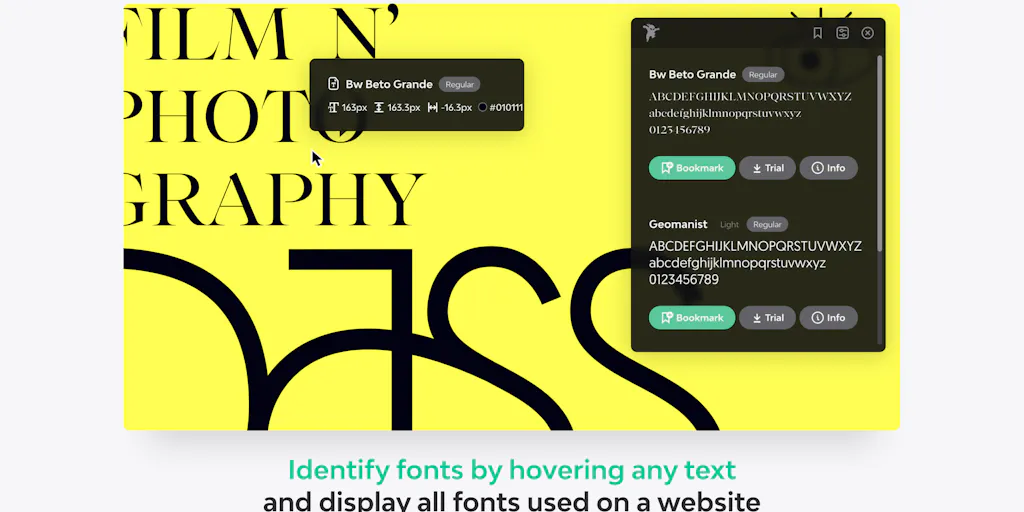
Identify any font on the web in seconds
A monospace font that makes code readable and beautiful
Turn your handwriting into a real font in under a minute

AI-powered font generation from prompts or images in seconds

Identify any font from photos instantly with AI
Recently Added AI Tools
New tools added to the directory



Share PDFs securely - no account, no trace, automatic expiration.

Batch download & auto-organize TikTok, Instagram, YouTube videos in one command
From the Blog
Latest guides and tips on AI tools
Free Logo Maker Apps in 2026
Free Logo Maker Apps in 2026
AI Image GenerationBest AI Tools for Ecommerce in 2026
Best AI Tools for Ecommerce in 2026
Best AI ToolsBest AI Tools for Digital Marketers in 2026
Best AI Tools for Digital Marketers in 2026
Best AI ToolsBest AI Tools for Freelancers in 2026
Best AI Tools for Freelancers in 2026
Best AI ToolsWant to list your AI tool on NextStair?
Submit Tool