


FontApp - Sync 6000+ Fonts Across Design Apps
Manage 6,000+ fonts with one click. Works with Photoshop, Illustrator & more.
What is Fontapp?
FontApp is a font manager that simplifies using and managing fonts across design software. It provides access to over 6,000 free Google Fonts plus commercial fonts, with one-click activation and real-time preview. It's built for designers using Photoshop, Illustrator, InDesign, and CorelDRAW who need efficient font organization and syncing across devices.
Need help implementing FontApp - Sync 6000+ Fonts Across Design Apps?
Find verified specialists who work with FontApp - Sync 6000+ Fonts Across Design Apps
Key Features of Fontapp
- One-Click Font Activation
- One-Click Font Change in Design Software
- Quick Search, Grouping & Multi-Dimensional Filtering
- Real-Time Font Preview
- Free Google Fonts Access (6,000+)
- Personal Cloud Library with Sync
- Support for PS, AI, ID, CDR & More
- Compact Mode UI
- Auto-Hide Window
- Free & Commercial Font Store
Who Should Use Fontapp?
Activate and deactivate fonts quickly while designing
Find ideal fonts across 6,000+ options using filters
Switch fonts in Photoshop, Illustrator, or InDesign without leaving FontApp
Sync fonts across multiple devices via cloud library
Organize fonts by category and usage frequency
Manage font libraries for design teams
Fontapp: Pros & Cons
✓Pros
- Access to 6,000+ free Google Fonts
- One-click font activation and change
- Multi-dimensional filtering (language, type, tags, weight)
- Real-time font preview
- Cloud sync across devices
- Compatible with major design software (PS, AI, ID, CDR)
- Compact mode and auto-hide features for productivity
- Both free and commercial fonts available
Frequently Asked Questions about Fontapp
Can I use Google Fonts in FontApp for free?
Yes, FontApp provides over 6,000 fonts from Google Fonts and other brands for free use with one click.
Does FontApp work with Photoshop and Illustrator?
Yes, FontApp is compatible with design software such as Photoshop (PS), Illustrator (AI), InDesign (ID), and CorelDRAW (CDR), allowing quick font changes.
Can I sync my fonts across different devices?
Yes, FontApp supports uploading font files to your personal cloud font library to sync font data across different devices.
What filtering options does FontApp provide?
FontApp supports multiple filters including language, type, tags, and weight to help you quickly find the font you want.
Can I organize fonts by my own preferences?
Yes, you can group fonts based on category and usage frequency, and group information will automatically synchronize across multiple devices.
Tool Details
- Pricing
- Free
- Category
- Ai Fonts
- Added
- Jul 2026
- Last Updated
- Jul 2026
More Ai Fonts Tools
7 tools in the same category

Generate stunning AI fonts, signatures & logos in seconds - free, no design skills needed

Create custom fonts from sketches—free, in your browser, no signup needed.

Transform your text into 50+ stunning fonts in real-time

Find and pair the perfect fonts for your project instantly.
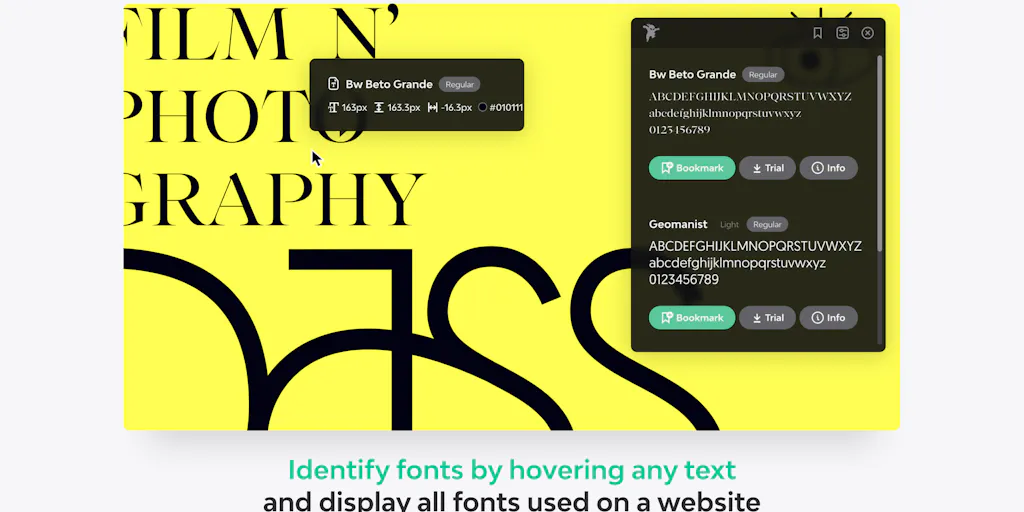
Identify any font on the web in seconds
A monospace font that makes code readable and beautiful
Turn your handwriting into a real font in under a minute
Recently Added AI Tools
New tools added to the directory

AI-powered legal research platform with 500K+ official Mexican documents

Track your mood, journal your thoughts, heal your mind with AI insights.

City-scale AR positioning with centimeter-level precision

From the Blog
Latest guides and tips on AI tools
Best AI Tools for Ecommerce in 2026
Best AI Tools for Ecommerce in 2026
Best AI ToolsBest AI Tools for Digital Marketers in 2026
Best AI Tools for Digital Marketers in 2026
Best AI ToolsBest AI Tools for Freelancers in 2026
Best AI Tools for Freelancers in 2026
Best AI ToolsBest AI Tools for Small Business Owners in 2026
Best AI Tools for Small Business Owners in 2026
Best AI ToolsWant to list your AI tool on NextStair?
Submit Tool