


SemanticQL
Query PostgreSQL in plain English from your terminal
What is Semanticql?
SemanticQL is a lightweight CLI tool that enables you to query PostgreSQL databases using plain English instead of SQL syntax. It automatically detects your existing psql configuration or accepts connection flags, eliminating the need to write traditional SQL queries. Designed for developers who want faster, more intuitive database lookups without AI agents or heavy abstractions.
Need help implementing SemanticQL?
Find verified specialists who work with SemanticQL
Key Features of Semanticql
- Plain English query syntax
- Automatic psql configuration detection
- Support for psql-style connection flags
- PostgreSQL environment variable recognition
- Built-in grammar cheat sheet (\g command)
- REPL interface for interactive queries
- Cross-platform support (macOS, Windows, Linux)
- Global CLI installation via npm
Who Should Use Semanticql?
Quick database lookups without writing SQL
Exploring database structure interactively
Filtering and sorting data with simple English commands
Teaching SQL concepts to non-technical users
Fast prototyping and ad-hoc queries
Semanticql: Pros & Cons
✓Pros
- Intuitive plain English syntax
- Automatic connection configuration
- No AI agents or heavy abstractions required
- Built-in help and grammar reference
- Works with existing PostgreSQL setups
- Lightweight and fast
- Multiple connection configuration options
✕Cons
- Requires reasonably clear English input
- Limited to PostgreSQL databases
- Experimental project focused on parser understanding
Frequently Asked Questions about Semanticql
What is SemanticQL?
SemanticQL is a lightweight CLI tool that lets you query PostgreSQL databases using plain English instead of traditional SQL syntax, directly from your terminal.
Do I need to install PostgreSQL separately?
No, if PostgreSQL is already configured locally with psql setup, SemanticQL automatically uses the existing connection configuration.
How do I install SemanticQL?
Install it globally using npm with the command: npm install -g semanticql, then start it with: semanticql db_name
Can I use SemanticQL without psql configuration?
Yes, SemanticQL accepts psql-style connection flags, environment variables, or PostgreSQL-compatible connection strings like postgres://user:password@localhost:5432/db_name
How do I access the grammar reference?
Type \g or grammar inside the SemanticQL REPL to view the syntax cheat sheet and examples, or use the --grammar flag when starting the tool.
Tool Details
- Pricing
- Free
- Category
- Database Tools
- Added
- Jul 2026
More Database Tools Tools
7 tools in the same category

Powerful cross-platform database management for SQL & NoSQL workflows

Design database schemas offline, sync with your team, connect live databases

Type-safe ORM and full-stack TypeScript infrastructure for modern applications
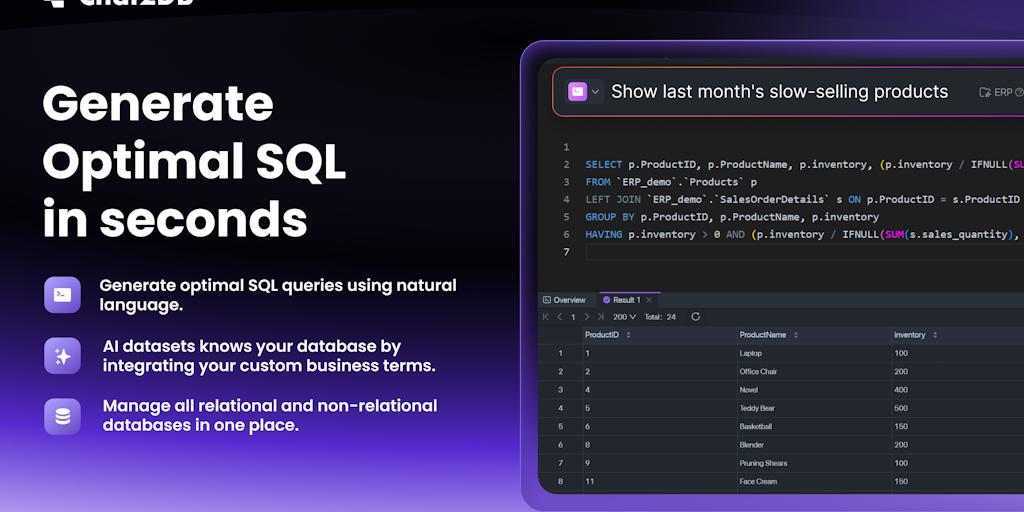
AI SQL client for all databases—local, fast, and open source.

The 11 MB database manager that leaves Electron in the dust


Recently Added AI Tools
New tools added to the directory

Deploy AI workers that take real actions in your systems, 24/7.

Free API to extract Open Graph data from any URL instantly


From the Blog
Latest guides and tips on AI tools
Best AI Tools for Ecommerce in 2026
Best AI Tools for Ecommerce in 2026
Best AI ToolsBest AI Tools for Digital Marketers in 2026
Best AI Tools for Digital Marketers in 2026
Best AI ToolsBest AI Tools for Freelancers in 2026
Best AI Tools for Freelancers in 2026
Best AI ToolsBest AI Tools for Small Business Owners in 2026
Best AI Tools for Small Business Owners in 2026
Best AI ToolsWant to list your AI tool on NextStair?
Submit Tool