
NextStair
Ad
ElevenLabs: AI Voice Generator | Sign Up Now FREE
Try Now

Best Database Tools 2026

Browse database management tools that provide visual interfaces, query builders, schema designers, and migration management for SQL and NoSQL databases. These tools make database work accessible without memorizing syntax for every operation. Compare supported databases (PostgreSQL, MySQL, MongoDB, Redis), query intelligence, schema visualization, collaboration features, and cloud database integration.

15 tools
Showing 1–15 of 15 tools
Valentina Studio - SQL and NoSQL in One Desktop

Powerful cross-platform database management for SQL & NoSQL workflows

Query Den - 11 MB Database Manager

The 11 MB database manager that leaves Electron in the dust

BaseBuddy - WordPress Editor for Your Postgres

WordPress-like editor for your Supabase database - no schema lock-in.

SimplePostgreSQL - All PostgreSQL Databases, Locally Stored

One app for all your PostgreSQL databases. No cloud, no clutter.
Mongo GUI - Native macOS Client for Speed

Native macOS MongoDB client built for speed and local control
File SQL - Query CSV, JSON, Parquet Files

Query your files with SQL - right inside VS Code, no setup required.

SemanticQL - PostgreSQL Queries in Plain English

Query PostgreSQL in plain English from your terminal

ZedGi - Edge Proxy for Redis & DataBase

HTTPS edge proxy for AI agents and serverless to reach Redis, Postgres & databases

SQLLens AI - Your AI Database Engineer

AI Database Engineer: Generate SQL 10X faster, boost queries 100X, maintain 99.9% uptime
Sponsored
P
Printify
Prisma - TypeScript ORM with Managed PostgreSQL

Type-safe ORM and full-stack TypeScript infrastructure for modern applications
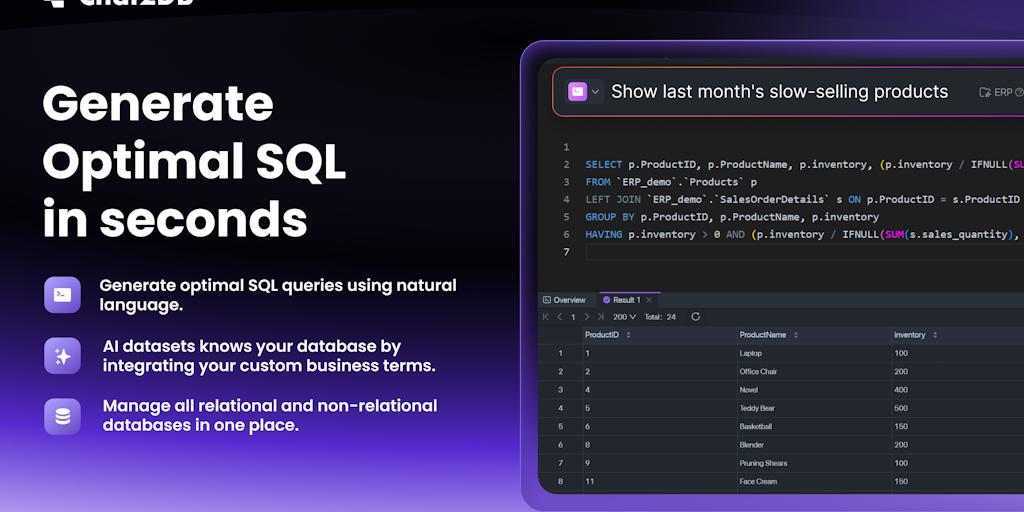
Chat2DB Local - SQL Generation for 30+ Database Types

AI SQL client for all databases - local, fast, and open source.

RelateDB - Visual Schema Design, Offline First

Design database schemas offline, sync with your team, connect live databases

PgDog - Postgres Scaling Without App Rewrites

Scale Postgres n times with zero app changes
DBNova - TypeScript Types from Your Schema

Database interaction tool built for developers using TypeScript

1DataCloud.Ai - Query Multiple Cloud Databases in English

Query all your cloud databases in plain English - no SQL required

Data is the heart of most applications, and database tools are how developers manage it, designing schemas, running queries, and administering the databases that store everything. From GUI clients to administration platforms, these tools make working with databases efficient and safe.

What database tools do

They provide interfaces to connect, query, design, and manage databases, visualizing data, running SQL, and handling administration, so developers work with data without wrestling raw command lines. Many now add AI query assistance.

Databases and AI

AI now helps write and optimize queries, so these pair with the AI SQL tools, and no-code teams use the no-code backend tools instead.

Frequently Asked Questions

What is the best free database GUI?
DBeaver is the most comprehensive free universal database client - supports 80+ databases including PostgreSQL, MySQL, MongoDB, and cloud databases with a rich feature set. TablePlus is a premium option with a cleaner UI available for Mac, Windows, and Linux. DataGrip (JetBrains) is the professional standard with the best SQL intelligence but requires a subscription.
What database should I use for a new web application?
PostgreSQL is the most recommended relational database for new applications - open-source, feature-rich, excellent JSON support, and hosted on every major cloud provider (Supabase, Neon, RDS). MySQL is a strong alternative with broader legacy support. For document-based or flexible schema needs, MongoDB is the dominant NoSQL option. Redis complements relational databases as a caching and session layer.
What is an ORM and when should I use one?
An ORM (Object-Relational Mapper) provides an abstraction layer over SQL - you write database queries using your programming language rather than SQL strings. Prisma, Drizzle, and Sequelize are popular Node.js ORMs; SQLAlchemy is the Python standard. ORMs speed development and prevent SQL injection. For complex analytical queries or performance-critical paths, writing SQL directly often produces better-optimized queries.
What are database tools used for?
Database tools let developers and analysts connect to, query, design, and manage databases through a convenient interface rather than raw command lines. They handle running SQL queries, visualizing and editing data, designing schemas and relationships, managing users and permissions, and administering database health and performance. Tools like DBeaver, DataGrip, TablePlus, and pgAdmin serve these needs across different databases. Many now add AI features to help write and optimize queries. They make working with data faster, safer, and more accessible, whether for development, analysis, or administration, which is why they are a staple of any data-driven project.
What is the difference between SQL and NoSQL databases?
SQL databases (like PostgreSQL and MySQL) are relational, storing structured data in tables with defined schemas and relationships, queried with SQL, and are strong for structured, consistent data and complex queries. NoSQL databases (like MongoDB and Redis) store data more flexibly, as documents, key-value pairs, or other structures, without rigid schemas, and are strong for flexibility, scale, and certain data patterns. Neither is universally better; the choice depends on your data structure, consistency needs, and scale. Many applications use both. Understanding your data and access patterns guides which type, and specific database, fits your needs best.
Can AI help me write database queries?
Yes, AI increasingly helps with SQL and database work, letting you describe what you want in plain language and generating the query, explaining existing queries, and suggesting optimizations. Some database tools build AI features in directly, and general assistants like ChatGPT and Claude write and debug SQL effectively when given your schema for context. This lowers the barrier for those less fluent in SQL and speeds up complex queries for everyone. Verify generated queries against your actual data, since correctness depends on the AI understanding your schema, but AI genuinely accelerates writing and optimizing database queries.