NextStair
Ad
ElevenLabs: AI Voice Generator | Sign Up Now FREE
Try Now

Best SEO Chrome Extensions 2026

Discover SEO Chrome extensions that put key metrics - domain authority, keyword difficulty, page-level data, backlinks, and SERP analysis - directly in your browser while you search or browse. These free or low-cost tools make competitive research accessible without opening a separate platform. Compare the accuracy of metrics shown, free vs. paid access, and impact on browser performance.

5 tools

SEO Chrome extensions bring analysis right into the browser, surfacing metrics and data on the pages you are already looking at. Instead of switching to a separate tool, you see a site's key SEO signals overlaid as you browse, which speeds up research, audits, and competitive analysis.

What SEO extensions show

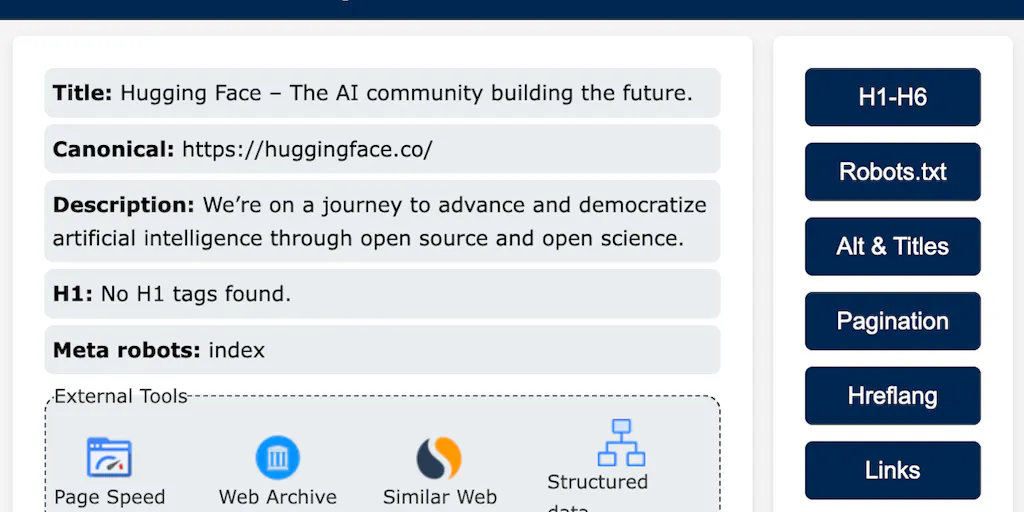
They display on-page metrics, keyword data, backlink counts, technical checks, and SERP details directly in the browser, letting you assess a page or a search result at a glance. It is analysis without leaving the flow of browsing.

SEO extensions alongside full tools

Extensions are convenient for quick checks but complement rather than replace full platforms. The SEO Chrome extensions catalog covers the browser side, and the SEO suites provide the deeper data.

Frequently Asked Questions

What is the best free SEO Chrome extension?
MozBar is the most widely installed free SEO extension, showing Domain Authority and Page Authority on search results and any page you visit. Ahrefs' free browser extension shows DR and URL Rating. Keywords Everywhere adds search volume data to Google results. SEOquake provides a comprehensive on-page SEO analysis panel.
How do I use SEO extensions for competitor research?
When examining a competitor's page, SEO extensions quickly surface: the page's estimated backlinks and link authority, what keywords it likely ranks for, its technical metrics (page speed, structured data), and how strong its referring domains are. This gives rapid competitive context without opening Ahrefs or Semrush for every URL you visit.
Do SEO extensions slow down Chrome?
Some SEO extensions make API calls on every page load, which can slow browsing noticeably. Extensions with heavy real-time data fetching (MozBar, Ahrefs, Keywords Everywhere) add latency. Disable unused extensions and only enable them when actively doing SEO research. Chrome's task manager shows which extensions are consuming the most memory and CPU.
What do SEO Chrome extensions do?
They surface SEO data directly in your browser as you browse, showing on-page metrics, keyword information, backlink counts, technical checks, and SERP details for the page or search results you are viewing, without switching to a separate tool. This makes quick research, page audits, and competitive analysis fast and convenient, since the information appears in the flow of browsing. Popular ones cover different needs, from technical checks to keyword and SERP data, and they are a handy complement to full SEO platforms for on-the-spot analysis.
Are SEO extensions a replacement for full SEO tools?
No, they complement rather than replace them. Extensions excel at quick, in-browser checks and convenient at-a-glance data, but they lack the depth, historical data, large keyword databases, and comprehensive auditing that full SEO suites provide. Use extensions for fast research and spot-checks while browsing, and a full platform for serious keyword research, rank tracking, and site audits. Together they cover both quick and deep needs. Relying on extensions alone would leave gaps that serious SEO work requires a full tool to fill.
Do too many SEO extensions slow down my browser?
They can, like any extensions, especially ones that run on every page load to fetch and display data, so installing many at once may noticeably affect performance. Keep only the ones you actively use, and disable those you do not need regularly. If your browser slows down, check which extensions are consuming resources and trim the list. A lean set of the SEO extensions you actually rely on keeps the convenience without the performance cost of a crowded, always-running collection.
5 Best SEO Chrome Extensions Tools 2026 | NextStair