
NextStair
Ad
ElevenLabs: AI Voice Generator | Sign Up Now FREE
Try Now

Best Headless CMS 2026

Browse headless CMS platforms that separate content management from content presentation - delivering structured content via API to any frontend or channel. Headless architectures power modern Jamstack sites, multi-channel experiences, and developer-controlled frontends. Compare content modeling flexibility, real-time preview capabilities, CDN delivery, image transformation APIs, and developer experience quality.

7 tools
Showing 1–7 of 7 tools
Marble - Headless CMS Built for Blogs

Super simple headless CMS for blogs and content

Tina CMS - Visual Editing for Markdown in Git

GitHub's #1 Headless CMS with Visual Editor for Markdown

BaseHub - Headless CMS with Git-Style Branching

AI-powered headless CMS with Git-style branching and Notion-like editing
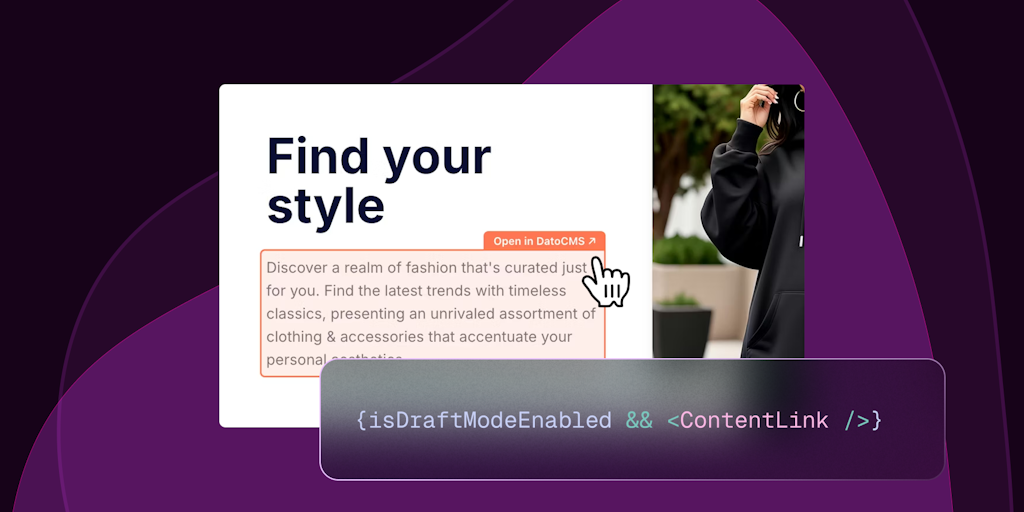
DatoCMS - Headless CMS Built for Content Teams

The friendliest headless CMS your team will actually love using
Sections CMS - Drag-And-Drop Websites with Instant Hosting

Build powerful websites in minutes with no coding required

TakeShapeCMS - AI Agents That Connect Fragmented Data

Connect fragmented data. Build powerful AI agents. Drive enterprise impact.

Payload - Next.js Backend with Code-First Control

The open-source Next.js backend to build anything - or everything.

A headless CMS manages your content but leaves the presentation to you, delivering everything through an API so developers can build the front end in any framework and push the same content to a website, app, and other channels at once. It separates what you say from how it looks.

How a headless CMS differs

A traditional CMS couples content and design in one system, while a headless CMS provides only the content back end and serves it via API. That decoupling gives developers freedom to use modern front-end frameworks and deliver content anywhere, at the cost of needing to build the presentation layer rather than getting it out of the box.

When headless makes sense

Headless suits teams building custom or multi-channel experiences, and contrasts with all-in-one CMS platforms like WordPress. It pairs with modern developer tools and appeals to developers who want full control over the front end.

Frequently Asked Questions

What is the best headless CMS for Next.js?
Sanity is one of the most popular headless CMS choices for Next.js - excellent developer experience, real-time collaborative editing, powerful GROQ query language, and strong image pipeline. Contentful is the enterprise standard with the most mature ecosystem. Payload CMS is a newer TypeScript-native option that self-hosts easily. Strapi is the leading open-source headless CMS for teams wanting full control over their content infrastructure.
What is the difference between Contentful and Sanity?
Contentful is more structured and opinionated - you define content types with fields and editors create content within those constraints. Better for large enterprise teams needing governance. Sanity is more flexible - its Portable Text and custom studio allow highly customized editing experiences. Better for agencies and developer-led teams building unique content experiences. Sanity's generous free tier makes it more accessible for smaller projects.
What is the JAMstack and how does a headless CMS fit into it?
JAMstack (JavaScript, APIs, Markup) is an architecture where sites are pre-built as static files and served via CDN - with dynamic functionality handled by client-side JavaScript calling APIs. A headless CMS is the content API in the JAMstack. The frontend (Next.js, Astro, Nuxt) fetches content from the headless CMS at build time or request time, generating the pages. This produces very fast, secure, and scalable websites.
What is a headless CMS?
A headless CMS is a content management system that handles creating and storing content but does not control how it is displayed. Instead of rendering web pages itself, it delivers content through an API, and developers build a separate front end, a website, mobile app, or other interface, that requests and displays that content. The 'head' (the presentation layer) is removed, hence 'headless.' This lets one content source feed many channels and gives developers freedom to use any front-end technology, rather than being tied to the CMS's built-in templating.
When should you use a headless CMS instead of a traditional one?
Choose headless when you need to deliver the same content to multiple channels (website, mobile app, digital displays), want developers to build a custom front end with modern frameworks, or require flexibility that a coupled system cannot offer. It suits developer-led teams and complex, multi-platform projects. Stick with a traditional CMS when you want an all-in-one solution that includes design and publishing out of the box, when non-technical users need to manage the site directly, or for a straightforward website where the added flexibility of headless is not worth the extra development effort.
What are the downsides of a headless CMS?
The main trade-off is complexity and cost. Because a headless CMS provides only the content back end, you must build and maintain the front end separately, which requires developers and more upfront work than a system that renders pages for you. Non-technical users lose the convenience of a built-in visual editor and previewing content in context can be harder. For simple websites, headless is often overkill. It shines for multi-channel, custom, developer-driven projects, but for a standard site managed by marketers, a traditional all-in-one CMS is usually simpler and cheaper.