


Study Planner & Time Management Tool
Study smarter with MIT prioritization and smart break scheduling
What is Study Planner Time Management Tool?
A free study planning and time management tool for middle school, high school, and college students. It uses the MIT (Most Important Task) method to prioritize assignments, visualizes multi-day schedules with a live timeline, and intelligently inserts dynamic breaks based on task difficulty and attention span limits. The tool helps students organize homework and study sessions efficiently without burnout.
Need help implementing Study Planner & Time Management Tool?
Find verified specialists who work with Study Planner & Time Management Tool
Key Features of Study Planner Time Management Tool
- MIT Method prioritization
- Multi-day schedule visualization with live timeline
- Smart dynamic breaks that adapt to task difficulty
- Accumulative flow break system (1 min break per 4 mins work)
- Pomodoro timer (25/5 minute sessions)
- 52/17 rule timer option
- Smart cognitive load calculation
- Light and dark theme modes
- Custom color themes (Midnight Blue, Forest Green, Fiery Red, Royal Purple)
- Colorblind mode with pattern timeline
- Accessibility settings
- Text size adjustment
- Import/Export functionality
- Daily study limit settings
- User stats tracking
- No login required
- 100% free
Who Should Use Study Planner Time Management Tool?
Help middle school students organize homework and manage multiple assignments
Support high school students in balancing heavy course loads
Assist college students in planning study sessions across multiple days
Prevent study burnout with scientifically-backed break timing
Prioritize hardest tasks during peak focus hours
Visualize entire workload to reduce overwhelm
Study Planner Time Management Tool: Pros & Cons
✓Pros
- Completely free with no login required
- Science-backed prioritization using MIT method
- Dynamic breaks adapt to task difficulty
- Multi-day visual timeline for workload planning
- Multiple timer options (Pomodoro, 52/17 rule, custom)
- Accessible with colorblind mode and text size adjustment
- Flexible theme customization
- No data sent to servers (age verification stored locally)
Tool Details
- Pricing
- Free
- Category
- Mind Mapping
- Added
- Jul 2026
Recently Added AI Tools
New tools added to the directory

Editaimg is an all-in-one AI image editor for retouching, removing watermarks, and adding people to photos seamlessly.

Translate, dub, and lip-sync videos in 160+ languages 30x faster
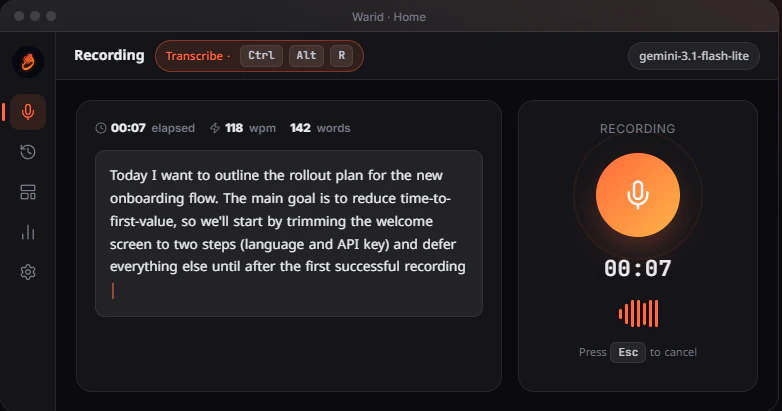

Private voice-to-text that never leaves your device
From the Blog
Latest guides and tips on AI tools
Best AI Tools for Digital Marketers in 2026
Best AI Tools for Digital Marketers in 2026
Best AI ToolsBest AI Tools for Freelancers in 2026
Best AI Tools for Freelancers in 2026
Best AI ToolsBest AI Tools for Small Business Owners in 2026
Best AI Tools for Small Business Owners in 2026
Best AI ToolsBest Vibe Coding Tools in 2026
Best Vibe Coding Tools in 2026
Vibe & Agentic CodingWant to list your AI tool on NextStair?
Submit Tool