

Best AI Video Tools 2026
Explore the best AI video generation and editing tools for creators, marketers, and businesses. From text-to-video generators and AI short-form creators to digital humans, AI dubbing, subtitle generators, and thumbnail makers - this category covers every aspect of AI-powered video production. Create engaging video content at a fraction of the time and cost of traditional production. Compare tools by output quality, pricing, and use case.
.svg)


Physics-accurate AI video generator with native audio and cinema-grade HDR

Production-grade video AI for cinematic creation, not just demos.

Free AI video generator with multi-shot storytelling and character consistency
Generate 4K videos with synchronized audio in seconds - fully open-source
Professional cinematic videos from text in seconds - no design skills required.
Open-weight AI video engine for production, built on your terms
Transform text and images into professional videos in seconds with AI
World's first HDR AI video generator with intelligent reasoning and studio-grade quality
Reasoning video AI that thinks, plans, and creates studio-grade HDR cinema.

Transform text into cinematic HD videos with perfect audio sync in seconds

Native multimodal video AI with synchronized audio-visual generation in 1080p HD
Transform ideas into stunning AI videos in under 2 minutes
Professional AI video generation with native audio-visual sync and cinematic control

Create cinematic AI videos with realistic audio in minutes
AI-powered video editing with Runway Aleph, Veo, and more in one platform
Professional 720P video generation with revolutionary MoE architecture

Mocap-style motion control for consistent character videos at scale

Generate stunning AI videos with realistic physics and native audio in 20-second clips
Generate cinematic AI videos with director-level control and synchronized sound

Cinema-grade AI video generation from text and images in minutes
Create stunning AI videos in minutes with Veo 3 technology

AI video editor that transforms footage with text prompts - no technical skills required

Watch any video with instant bilingual subtitles in your language

Translate and dub videos into 170+ languages with AI and premium voices

Translate videos into multiple languages with AI avatars in seconds
Auto captions for TikTok, Reels & Shorts in minutes with 99% accuracy

Translate videos to 140+ languages in minutes with AI
Add captions to videos with AI - no uploads, no fees, all local.
Translate videos to 75+ languages in one click with AI voice cloning

Real-time AI translator for video calls in 60+ languages

Translate and dub videos in 130+ languages with AI voice cloning

Local AI subtitles for Mac - no cloud, no subscription.
Create AI spokesperson videos and translate video content into 175 languages
Translate videos to 30+ languages with perfect lip-sync - free, no sign-up needed
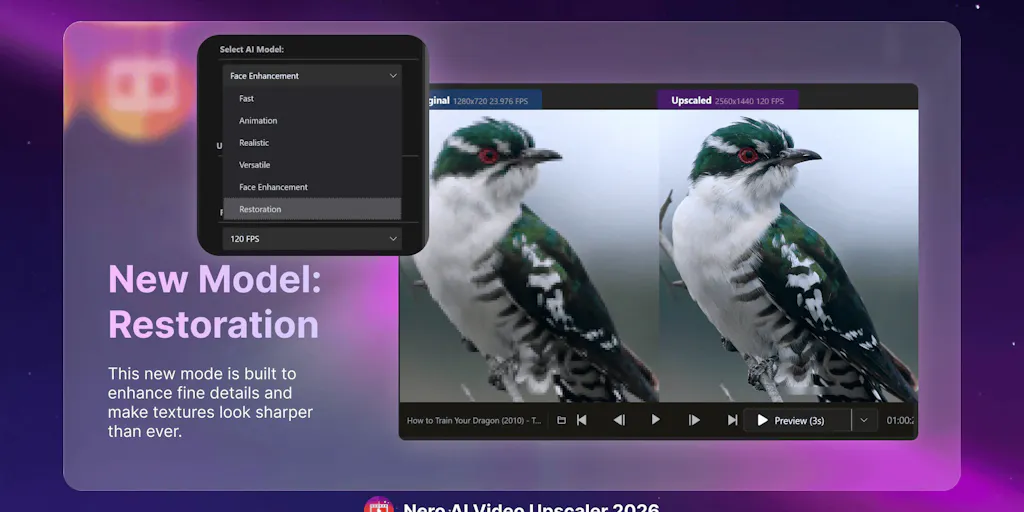
Upscale videos to 4K/8K 120FPS with AI - no watermarks on trial

Transform any input into 4K videos in under 60 seconds with AI production intelligence
Create professional 4K videos from text in seconds with AI

Remove Sora video watermarks in seconds with AI precision
Turn text prompts into stunning AI videos - free, fast, no watermark

Remove Sora watermarks in 3 seconds, zero quality loss
Remove Sora watermarks instantly with AI - clean videos in one click
Remove Sora watermarks in seconds - no login, no software required.
Remove AI video watermarks in 1 minute, offline on Mac
Create watermark-free, commercial-ready AI videos with 4 flagship models in one workspace.
Remove watermarks from videos in seconds - free, no sign-up required
Free AI watermark removal for videos, images & GIFs in one place

Remove watermarks from photos & videos in seconds with AI

Unlimited AI image generator with watermark removal and video editing in one platform

Professional video editing with GPU rendering, right in your browser

Master TOEFL & IELTS vocabulary through daily animated word lessons
Video used to be the most expensive thing a small team could attempt. A single explainer meant a camera, a voice actor, a location, and days in an editor. That cost structure is coming apart. Models like Sora, Runway, Kling, and Veo now build moving footage from a prompt, and separate tools handle the voice, the captions, and the cuts. The result is not always broadcast ready, but for social clips and internal training it clears the bar.
Generated footage versus a presenter on screen
Two very different jobs share this category. Video generators imagine a scene that never happened, which suits b-roll, ads, and short concept pieces. Talking avatars take the opposite approach, putting a synthetic presenter on camera to read a script, which fits courses and product walkthroughs. If you need a face explaining something, an avatar tool wins. If you need a world, you want a generator.
The unglamorous work that gets views
Most of the daily value is in finishing, not generating. Subtitles and captions lift watch time on muted feeds, dubbing and video translation open a clip to new languages, and short video makers chop a long recording into vertical cuts. AI editors tie the steps together so one person can ship a finished piece.
Where quality still breaks
Generated video struggles with the things people notice most: hands, text on signs, and anything holding a consistent face across a long shot. Clips run short for a reason, since coherence falls apart past a few seconds. Plan for stitching and manual cleanup rather than a finished cut on the first render. For heavier timeline work and color, hand off to a full video editing tool, and generate the voice with an AI audio platform.