


Make Me a Password - Free, In-Browser Generator
Free, secure password generator that works entirely in your browser
What is Make Me A Password?
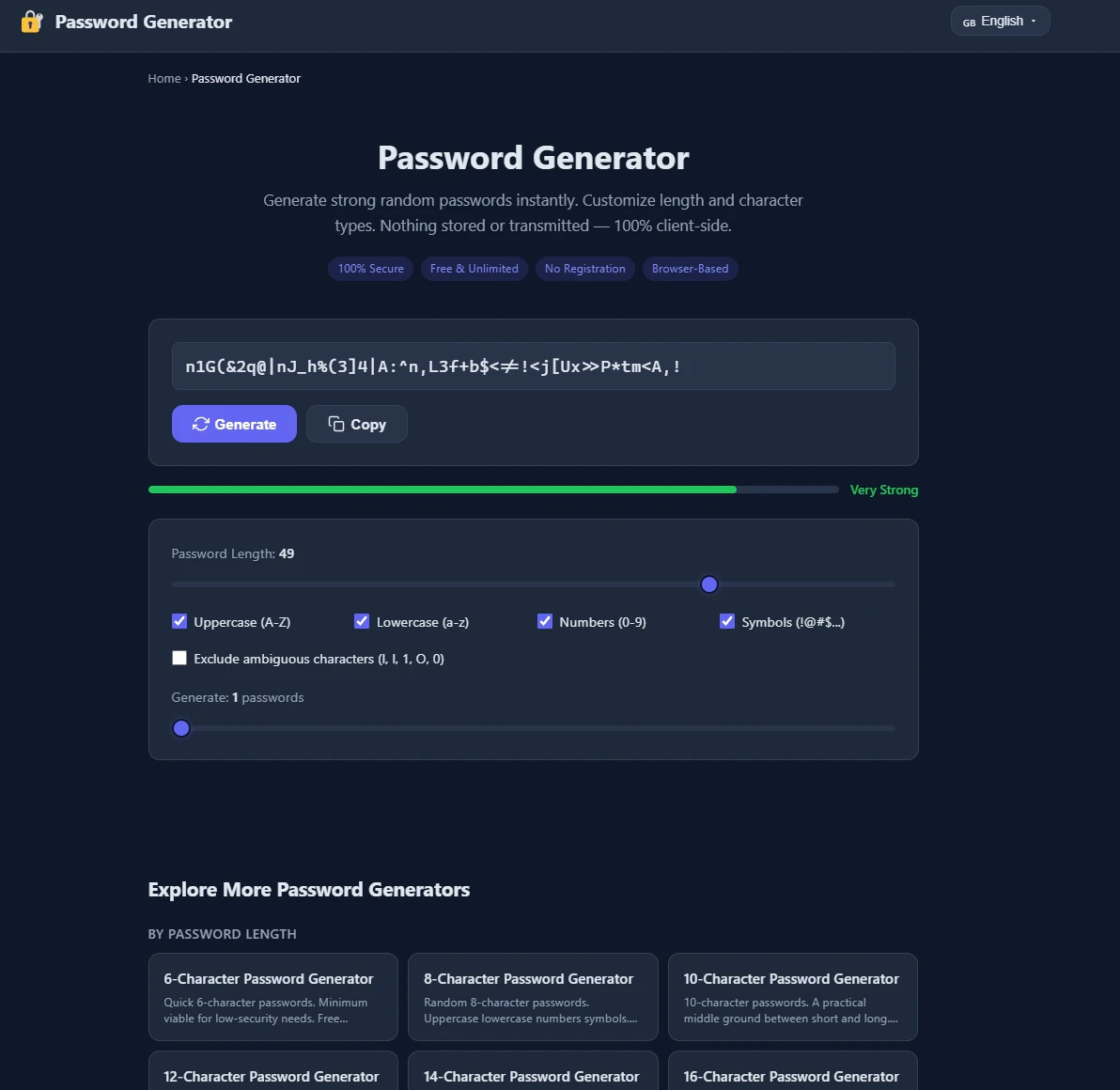
Make Me a Password is a free, browser-based password generator that creates strong, random passwords using cryptographically secure random number generation. All generation happens locally in your browser with nothing stored, logged, or transmitted to servers. It's designed for anyone who needs to generate secure passwords quickly without compromising privacy.
Need help implementing Make Me a Password - Free, In-Browser Generator?
Find verified specialists who work with Make Me a Password - Free, In-Browser Generator
Key Features of Make Me A Password
- Customizable password length (16+ characters recommended)
- Uppercase, lowercase, numbers, and symbols toggles
- Exclude ambiguous characters option
- Instant password generation with automatic regeneration
- Cryptographically secure random number generation
- Copy to clipboard functionality
- No backend, database, or account required
Who Should Use Make Me A Password?
Create strong passwords for online accounts
Generate secure credentials for banking and email
Produce random passwords for multiple accounts to avoid reuse
Create passwords for password manager setup
Make Me A Password: Pros & Cons
✓Pros
- Entirely browser-based with no server transmission
- Uses cryptographically secure random generation like banks use
- No account or login required
- Instant regeneration as settings change
- Free with no premium tier
- Works offline after page load
Frequently Asked Questions about Make Me A Password
Does Make Me a Password store or log my passwords?
No. Everything happens in your browser and nothing is stored, logged, or sent to any server.
How does this password generator ensure randomness?
It uses your device's cryptographically secure random number generator, the same technology banks and password managers rely on.
What password length is recommended?
16 characters or more is recommended for most accounts to maximize security against brute force attacks.
Can I use this generator offline?
Yes. Once the page loads, you can disconnect from the internet and the password generator will still work exactly the same.
Tool Details
- Pricing
- Free
- Category
- Free Password Gen
- Added
- Jul 2026
More Free Password Gen Tools
5 tools in the same category

Generate secure passphrases you'll actually remember
Generate ultra-strong passwords instantly - 100% secure, no storage, no signup.

Generate secure passwords that match any website's rules - locally, safely, instantly.

Generate strong passwords directly in Notion

Generate secure passwords by playing chess against a bot
Recently Added AI Tools
New tools added to the directory

Share PDFs securely - no account, no trace, automatic expiration.

Batch download & auto-organize TikTok, Instagram, YouTube videos in one command

Instantly calculate your AP automation savings and ROI in seconds

Download YouTube thumbnails instantly in full HD, no signup required
From the Blog
Latest guides and tips on AI tools
Best AI Tools for Ecommerce in 2026
Best AI Tools for Ecommerce in 2026
Best AI ToolsBest AI Tools for Digital Marketers in 2026
Best AI Tools for Digital Marketers in 2026
Best AI ToolsBest AI Tools for Freelancers in 2026
Best AI Tools for Freelancers in 2026
Best AI ToolsBest AI Tools for Small Business Owners in 2026
Best AI Tools for Small Business Owners in 2026
Best AI ToolsWant to list your AI tool on NextStair?
Submit Tool