

PasswordGen - Ultra-Strong Passwords, No Storage
Generate ultra-strong passwords instantly - 100% secure, no storage, no signup.
What is Passwordgen?
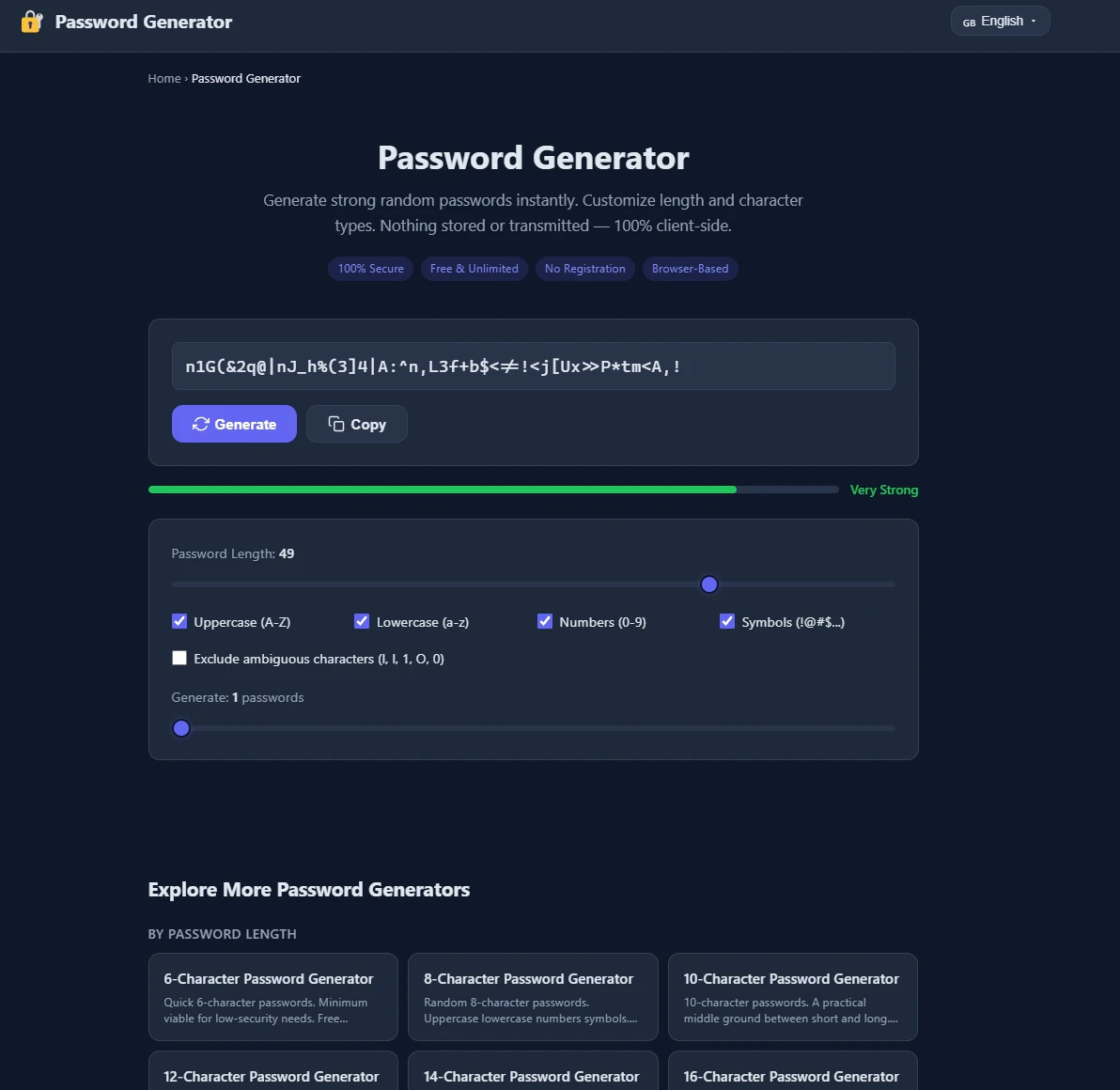
PasswordGen is a client-side password generator that creates strong, random passwords instantly with customizable length and character types. All processing happens in your browser with no data stored or transmitted to servers, ensuring 100% security. It's ideal for anyone needing quick, secure passwords for personal accounts, banking, email, or administrative systems.
Need help implementing PasswordGen - Ultra-Strong Passwords, No Storage?
Find verified specialists who work with PasswordGen - Ultra-Strong Passwords, No Storage
Key Features of Passwordgen
- Customizable password length (6-64 characters)
- Character type selection (uppercase, lowercase, numbers, symbols)
- Exclude ambiguous characters (I, l, 1, O, 0)
- Generate multiple passwords at once
- 100% client-side processing
- No registration required
- Free and unlimited
Who Should Use Passwordgen?
Secure banking and financial account passwords
Strong email and admin credentials
API keys and authentication tokens
Encryption keys and certificate authorities
High-security enterprise infrastructure passwords
Handwritten or verbal password sharing (via easy-to-read option)
Passwordgen: Pros & Cons
✓Pros
- 100% secure - all processing happens client-side
- Free and unlimited - no paid plans or restrictions
- No registration required - instant use
- Highly customizable - fine-tune length and character types
- Multiple password generator variants for specific needs
- Browser-based - works anywhere without installation
- Exclude ambiguous characters to avoid confusion
Frequently Asked Questions about Passwordgen
Is my password stored or sent to a server?
No. PasswordGen is 100% client-side, meaning all password generation happens in your browser. Nothing is stored or transmitted to any server.
Do I need to create an account to use PasswordGen?
No. PasswordGen is completely free with no registration required. You can start generating passwords instantly.
What password length should I use?
For banking, email, and admin accounts, 16 characters is the gold standard. For high-security environments, 20+ characters is recommended. For low-security needs, 8 characters is a minimum viable option.
Can I customize which character types to include?
Yes. You can toggle uppercase letters (A-Z), lowercase letters (a-z), numbers (0-9), and symbols (!@#$...). You can also exclude ambiguous characters like I, l, 1, O, and 0 for easier readability.
Tool Details
- Pricing
- Free
- Languages
- English
- Category
- Free Password Gen
- Added
- Jul 2026
More Free Password Gen Tools
5 tools in the same category

Generate secure passphrases you'll actually remember

Generate secure passwords that match any website's rules - locally, safely, instantly.

Generate strong passwords directly in Notion

Generate secure passwords by playing chess against a bot

Free, secure password generator that works entirely in your browser
Recently Added AI Tools
New tools added to the directory

Share PDFs securely - no account, no trace, automatic expiration.

Batch download & auto-organize TikTok, Instagram, YouTube videos in one command

Instantly calculate your AP automation savings and ROI in seconds

Download YouTube thumbnails instantly in full HD, no signup required
From the Blog
Latest guides and tips on AI tools
Best AI Tools for Ecommerce in 2026
Best AI Tools for Ecommerce in 2026
Best AI ToolsBest AI Tools for Digital Marketers in 2026
Best AI Tools for Digital Marketers in 2026
Best AI ToolsBest AI Tools for Freelancers in 2026
Best AI Tools for Freelancers in 2026
Best AI ToolsBest AI Tools for Small Business Owners in 2026
Best AI Tools for Small Business Owners in 2026
Best AI ToolsWant to list your AI tool on NextStair?
Submit Tool