


Unscreen - Remove Video Background
Remove video backgrounds in 1 click. No greenscreen needed.
Add your screenshot here
Image or video shown in this spot
What is Unscreen?
Unscreen Pro is an AI-powered video background remover that eliminates backgrounds from videos automatically without greenscreen or manual editing. Using advanced AI technology, it analyzes each frame to separate subjects from backgrounds, delivering professional results for content creators, video editors, marketing teams, and businesses. Trusted by 1M+ creators worldwide, it supports various video formats and works on videos shot anywhere under any lighting conditions.
Need help implementing Unscreen - Remove Video Background?
Find verified specialists who work with Unscreen - Remove Video Background
Key Features of Unscreen
- 100% automatic video background removal
- No greenscreen required
- Supports MP4, MOV, WebM, AVI and more
- Live preview before processing
- Works with people, pets, and objects
- Commercial usage rights on paid plans
- Fast processing with priority support on Pro plan
- 4K upscale support (coming soon)
- 1080p upscale support (coming soon)
- No watermark on paid plans
Who Should Use Unscreen?
Create professional YouTube and TikTok videos without studio equipment
Speed up video editing workflows by eliminating manual rotoscoping
Produce engaging marketing videos with custom backgrounds
Remove backgrounds from corporate presentations and training videos
Create product demo videos for marketing campaigns
Process educational content at up to 4K resolution
Unscreen: Pros & Cons
✓Pros
- Works without greenscreen equipment
- Fully automatic with no manual editing required
- Processes any video format and lighting conditions
- Live preview functionality
- Fast processing times
- Smooth API migration for existing users
- Data privacy with automatic 24-hour deletion
- Encrypted upload and processing
- Affordable pricing compared to traditional equipment
✕Cons
- Video file size limitations not specified
- 4K and 1080p upscale features still coming soon
- Free tier limited to personal non-commercial projects only
Frequently Asked Questions about Unscreen
Can I use Unscreen videos commercially, or is that limited to paid plans?
Commercial usage rights are only included on Plus and Pro paid plans. The free tier is limited to personal, non-commercial projects, so you'll need to upgrade if you're producing marketing videos, YouTube content, or anything else for business.
What video formats does Unscreen accept?
Unscreen supports MP4, MOV, WebM, and AVI files. It processes videos shot in any lighting conditions without requiring a greenscreen, and the live preview lets you see the results before committing to a full render.
How many videos can I process on the Plus plan versus Pro?
Both plans offer unlimited video processing; the difference is in monthly credits. Plus gives you 500 credits per month at $4.99, while Pro gives you 10,000 credits at $99 per month and includes faster processing and priority support.
Do videos processed on Unscreen have a watermark?
Watermarks only appear on the free tier. Any paid plan, whether Plus or Pro, removes the watermark from your final videos.
Tool Details
- Pricing
- Free
- Category
- Ai Video Enhancer
- Added
- Jun 2026
- Last Updated
- Jul 2026
More Ai Video Enhancer Tools
7 tools in the same category
One credit system for 15+ AI video & image models
Remove video backgrounds with AI - no green screen needed
Transform blurry videos into stunning 4K quality with one click
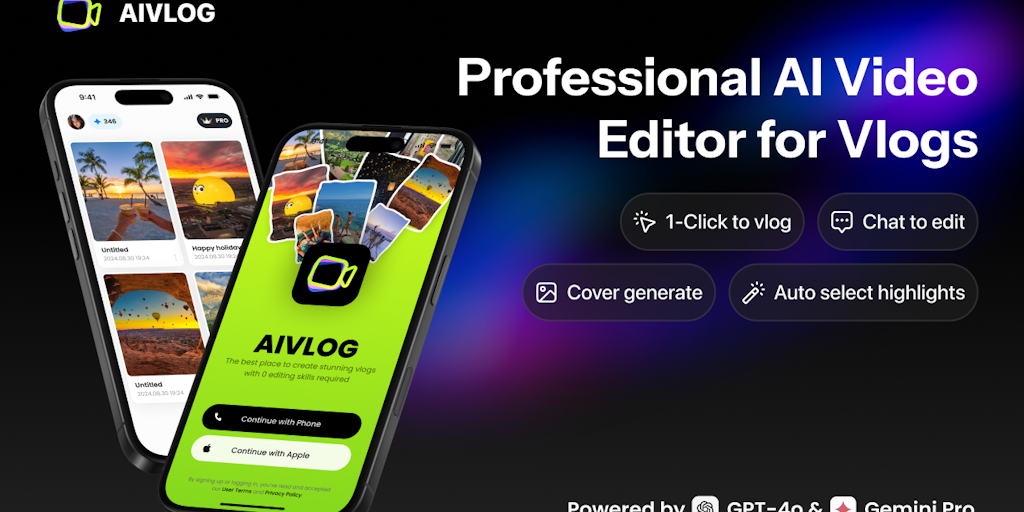
AI vlog editor that auto-selects highlights & saves 95% editing time

Remove hardcoded subtitles & watermarks naturally with AI background restoration
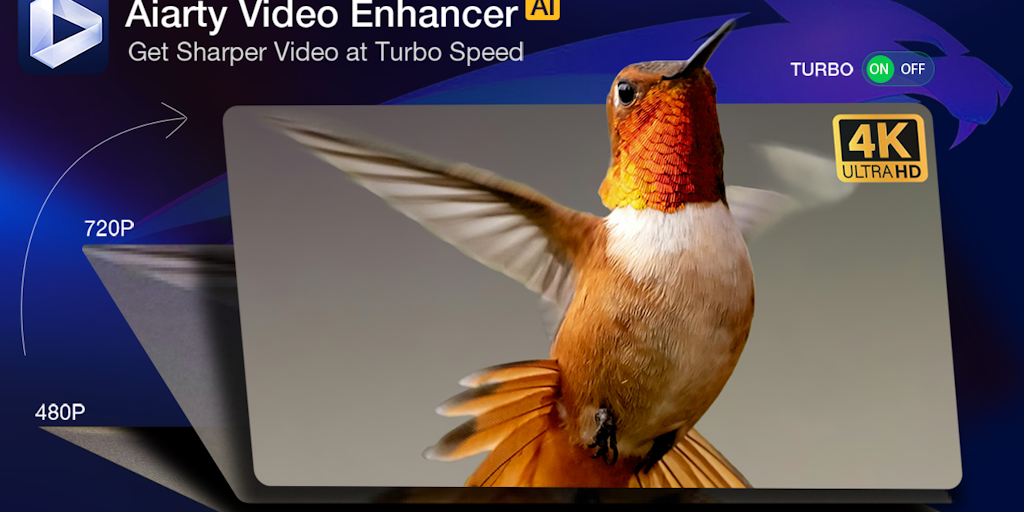
Upscale, denoise, and enhance videos to 4K with AI - 3X faster.
Turn long videos into viral shorts in minutes, not hours
Recently Added AI Tools
New tools added to the directory

Share PDFs securely - no account, no trace, automatic expiration.

Batch download & auto-organize TikTok, Instagram, YouTube videos in one command

Instantly calculate your AP automation savings and ROI in seconds

Download YouTube thumbnails instantly in full HD, no signup required
From the Blog
Latest guides and tips on AI tools
Best AI Tools for Ecommerce in 2026
Best AI Tools for Ecommerce in 2026
Best AI ToolsBest AI Tools for Digital Marketers in 2026
Best AI Tools for Digital Marketers in 2026
Best AI ToolsBest AI Tools for Freelancers in 2026
Best AI Tools for Freelancers in 2026
Best AI ToolsBest AI Tools for Small Business Owners in 2026
Best AI Tools for Small Business Owners in 2026
Best AI ToolsWant to list your AI tool on NextStair?
Submit Tool