

Jam
One-click bug reports with all the context devs need
What is Jam?
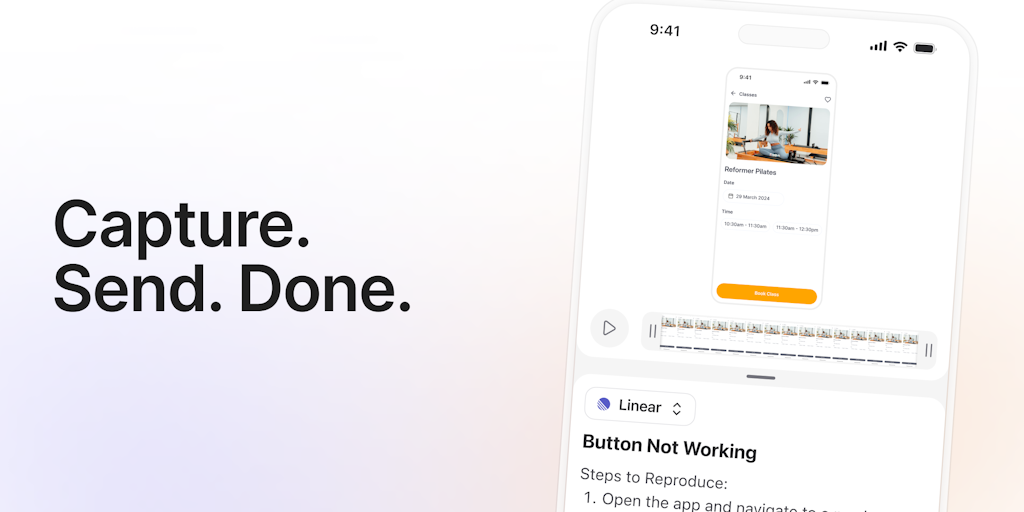
Jam is a browser extension that auto-captures all debugging information developers need—device details, console logs, network logs, reproduction steps, and backend tracing—in a single click. It eliminates the need to manually document bugs and reduces investigation time by 15-60 minutes per ticket. Built for QA teams, developers, and product managers who want faster, clearer bug reporting.
Need help implementing Jam?
Find verified specialists who work with Jam
Key Features of Jam
- Auto-captures device + browser + console logs
- Network logs and backend tracing
- Automatic reproduction steps
- Instant replay magic
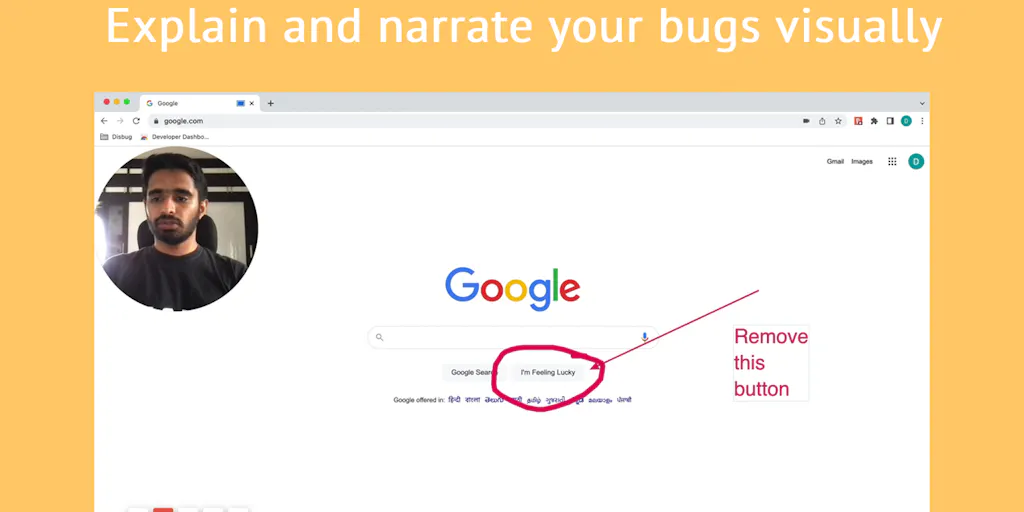
- Markup, blur, and annotate before sharing
- Integrations with Notion, GitHub, GitLab, Jira, Linear, Slack, ClickUp, Asana, Sentry, Azure, Figma, Fullstory
- Browser extension
- Screen recording with metadata
Who Should Use Jam?
QA teams reporting bugs to developers
Product managers documenting issues for engineering review
Support engineers capturing customer-reported problems
Development teams reducing investigation time
Any team needing faster bug reproduction and communication
Jam: Pros & Cons
✓Pros
- Saves 15-60 minutes per ticket
- Captures all debugging context automatically
- No need to manually write reproduction steps
- Intuitive one-click interface
- Works with popular team tools (Jira, Linear, Slack, etc.)
- Instant replay feature to review what happened
- Eleminates miscommunication between QA and developers
- Works for non-technical team members
Frequently Asked Questions about Jam
What information does Jam automatically capture?
Jam auto-captures device and browser details, console logs, network logs, reproduction steps, backend tracing, and creates a screen recording with instant replay.
Which tools does Jam integrate with?
Jam integrates with Notion, GitHub, GitLab, Jira, Linear, Slack, ClickUp, Asana, Sentry, Azure, Figma, and Fullstory, with Datadog and Airtable coming soon.
How much time can Jam save per bug ticket?
According to user testimonials, Jam saves between 15 and 60 minutes per ticket by eliminating manual reproduction steps and investigation time.
Is Jam easy to use for non-technical team members?
Yes, Jam is designed to be as easy as taking a screenshot, allowing anyone on the team to record bugs and capture error messages without technical knowledge.
Can I edit and annotate bug reports before sharing?
Yes, Jam allows you to markup, blur, edit, and annotate recordings before sharing them with your team.
Tool Details
- Pricing
- Free
- Category
- Screen Recorders
- Added
- Jul 2026
More Screen Recorders Tools
7 tools in the same category

Turn boring screenshots into professional graphics in seconds

Record, edit, and share AI-powered videos to supercharge team communication

Professional screen recording and live presentations—no editing required.
Record, edit, and share professional videos - all in one tool

Drag screenshots and clips from the notch straight into Slack—no uploads, no links.
Recently Added AI Tools
New tools added to the directory

Deploy AI workers that take real actions in your systems, 24/7.

Free API to extract Open Graph data from any URL instantly


From the Blog
Latest guides and tips on AI tools
Best AI Tools for Ecommerce in 2026
Best AI Tools for Ecommerce in 2026
Best AI ToolsBest AI Tools for Digital Marketers in 2026
Best AI Tools for Digital Marketers in 2026
Best AI ToolsBest AI Tools for Freelancers in 2026
Best AI Tools for Freelancers in 2026
Best AI ToolsBest AI Tools for Small Business Owners in 2026
Best AI Tools for Small Business Owners in 2026
Best AI ToolsWant to list your AI tool on NextStair?
Submit Tool