NextStair
Ad
ElevenLabs: AI Voice Generator | Sign Up Now FREE
Try Now

Best Mockup Generators 2026

Browse mockup generator tools that place your design artwork into realistic product and device templates - showing logos on t-shirts, apps on phone screens, designs on packaging, or websites on laptops. These tools create professional presentation visuals without photography or 3D skills. Compare template quality and variety, smart object handling, batch mockup generation, and download quality.

8 tools
Showing 1–8 of 8 tools
OGCanvas - Dynamic Open Graph Images for Links

Design once. Ship perfect OG images everywhere your links travel.

MockAnything AI - Photorealistic Product Mockups from Text

Type a prompt. Get a realistic mockup in seconds.

Mokapus - 3D Product Mockups in Your Browser

Quality 3D mockups right in your browser

Mockup - iPad UI Design with Apple Pencil

Sketch, wireframe, and prototype apps faster with Apple Pencil

OneShots - Panoramic Screenshots for App Store Listings

Create app screenshots in 10 seconds, not hours

LiveSurface - 3D Mockups with Custom Material Finishes

Create photo-realistic mockups in real time with AI-powered 3D surface visualization.

WallMockup - Artwork Visualization for Etsy Sellers

Create realistic wall mockups for your art listings in 60 seconds
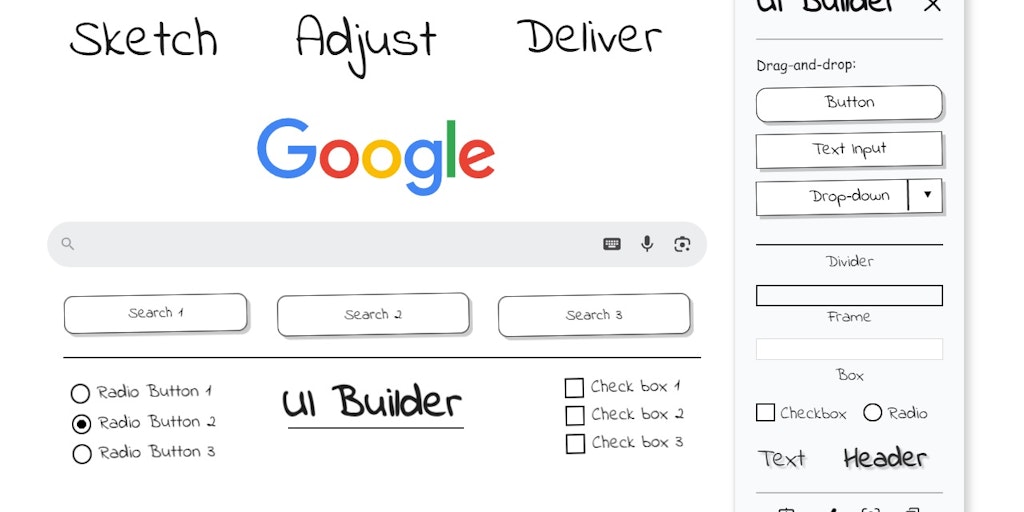
UI Builder - Wireframe Any Webpage Without Leaving Chrome

Sketch UI wireframes directly on any webpage in Chrome

Presenting a design in context, a logo on a business card, an app on a phone, a shirt on a person, makes it far more compelling than a flat file, and mockup generators create these presentations in seconds. They place your design onto realistic products and scenes without a photoshoot.

What mockup generators do

They apply your design onto templated product and device shots, T-shirts, packaging, screens, print, producing polished, realistic presentations quickly. It is the fast way to show work in a believable context.

Mockups and product presentation

Mockups help present and sell designs, so these connect to the AI product photography tools and the stock photo libraries for backgrounds.

Frequently Asked Questions

What is the best free mockup generator?
Smartmockups and Placeit are the two most popular mockup platforms - large libraries of device, apparel, and packaging mockups with simple drag-and-drop placement. Canva has built-in mockup tools for common cases. Freepik and Mockupworld offer free downloadable mockup PSD files. For developers, shottr.app and mockuphone handle device screenshots quickly.
What are smart objects in Photoshop mockups?
Smart Objects in Photoshop mockups are layer containers that maintain transformation data - when you replace the content of a Smart Object, your artwork automatically warps to fit the perspective and lighting of the mockup. Double-click the Smart Object layer, paste your design, save, and the mockup updates automatically. This workflow allows unlimited mockup variations from one base PSD.
Can I create custom branded mockups for my products?
Yes - services like Packhelp Mockup Maker and product-specific tools generate custom packaging mockups from uploaded designs. For physical product photography, AI background tools (Pebblely, Photoroom) place product photos into lifestyle settings automatically. For custom 3D mockups beyond what templates offer, Blender with product geometry creates photorealistic custom product renders.
What is a mockup generator?
A mockup generator places your design, a logo, artwork, app screen, or product graphic, onto a realistic template of a physical product or device, a T-shirt, phone, business card, packaging, or framed print, producing a polished presentation image in seconds without a photoshoot. This shows how a design looks in real context, which is far more compelling for clients, portfolios, and product listings than a flat file. Tools range from free web generators to extensive template libraries. They make professional-looking product and device presentations accessible to anyone, quickly and without photography skills or equipment.
Why use mockups to present designs?
Because context makes design compelling: showing a logo on an actual business card or an app on a real phone helps clients and viewers understand and visualize the design in use far better than a flat image, which looks abstract by comparison. Mockups make presentations more professional and persuasive, help clients approve work, strengthen portfolios, and make product listings more appealing. They bridge the gap between a design file and its real-world application. This is why mockups are a standard part of presenting design work, since seeing something in believable context is inherently more convincing than seeing it in isolation.
Are mockup generators free?
Many offer free options and templates, and free web-based mockup generators cover common needs like devices, apparel, and print. Extensive template libraries, higher-resolution output, and premium, more realistic mockups often require payment or a subscription. For occasional use, free generators are usually sufficient, while designers who present work regularly may benefit from a paid library's variety and quality. Some design tools also include mockup features. Start with free options to meet basic needs, and consider paid libraries only if you need a wider range of high-quality, realistic mockups for frequent professional presentations.