


Backlit - Screenshots with Gradient Backdrops
Capture and beautify screenshots in one step, right in your browser
Add your screenshot here
Image or video shown in this spot
What is Backlit?
Backlit is a Chrome extension that captures screenshots or videos of web page regions, visible tabs, or full scrolling pages, then instantly beautifies them with gradient backdrops, window frames, soft shadows, and rounded corners. It processes everything locally on your device with no uploads or sign-ups required, making it ideal for creating polished visuals for social media, documentation, changelogs, and release notes. The tool applies beautiful styling by default while allowing customization of shadows, padding, and corner effects.
Need help implementing Backlit - Screenshots with Gradient Backdrops?
Find verified specialists who work with Backlit - Screenshots with Gradient Backdrops
Key Features of Backlit
- Region, visible tab, or full-page screenshot capture
- Video capture capability
- Gradient, solid, and transparent backdrop options
- macOS, Windows, and browser window frames
- Customizable shadows, padding, and rounded corners
- One-click PNG export
- Clipboard copy functionality
- Private processing entirely on-device
- No sign-up required
- Keyboard shortcuts (Alt+Shift+1/2/3)
Who Should Use Backlit?
Create polished screenshots for Twitter/X posts
Beautify technical documentation with framed images
Generate visuals for changelogs and release notes
Capture work examples for portfolio sharing
Designer and marketer screenshot workflows
Quick visual asset creation without external tools
Backlit: Pros & Cons
✓Pros
- Combines capture and beautification in one tool
- Beautiful styling applied automatically
- Private by design with local processing
- No account or sign-up required
- High-resolution PNG export
- Quick clipboard copying
- Customizable gradient and frame options
- Free to use
Frequently Asked Questions about Backlit
Does Backlit store my screenshots or data?
No, Backlit is private by design. All captures are processed entirely on your device and never uploaded. Only anonymous, content-free usage counts are sent.
What are the keyboard shortcuts?
Alt+Shift+1 for region capture, Alt+Shift+2 for visible tab, and Alt+Shift+3 for full page. You can rebind them anytime at chrome://extensions/shortcuts.
Do I need to sign up or create an account?
No sign-up or account required. Backlit is free to use immediately after installing.
What output formats are supported?
You can export high-resolution PNG files or copy directly to your clipboard.
Who is Backlit designed for?
It's made for indie makers, founders, designers, marketers, and anyone who wants their work to look intentional.
Tool Details
- Company
- Sart
- Pricing
- Free
- Languages
- English
- Category
- Screen Recorders
- Added
- Jul 2026
- Last Updated
- Jul 2026
More Screen Recorders Tools
7 tools in the same category
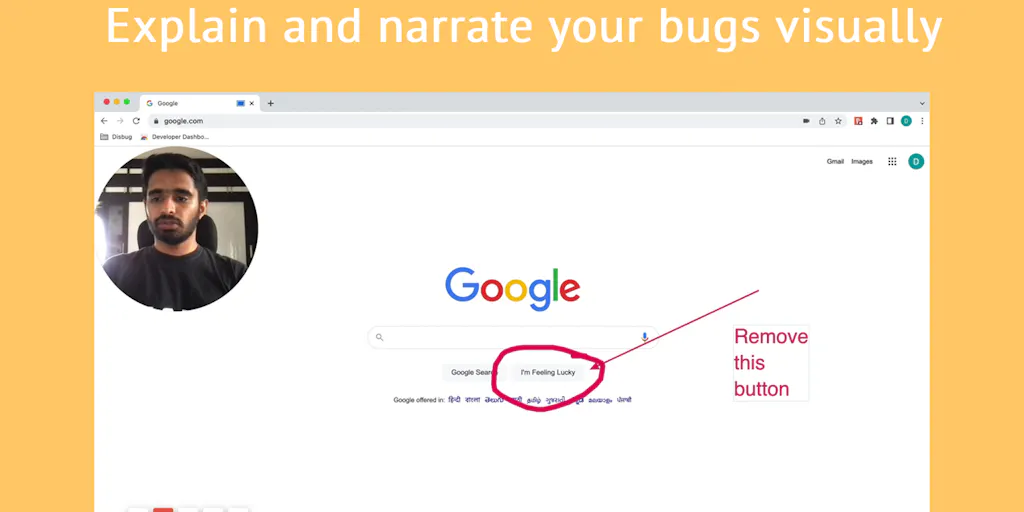
Capture bugs with complete context in one click
Record, edit, and share professional videos - all in one tool
Free online screen recorder with no watermark or setup required

Screen recordings that look designed - automatically.

Record, edit, and share AI-powered videos to supercharge team communication

Drag screenshots and clips from the notch straight into Slack - no uploads, no links.

Create polished product demos in your browser, free.
Recently Added AI Tools
New tools added to the directory



Share PDFs securely - no account, no trace, automatic expiration.

Batch download & auto-organize TikTok, Instagram, YouTube videos in one command
From the Blog
Latest guides and tips on AI tools
Free Logo Maker Apps in 2026
Free Logo Maker Apps in 2026
AI Image GenerationBest AI Tools for Ecommerce in 2026
Best AI Tools for Ecommerce in 2026
Best AI ToolsBest AI Tools for Digital Marketers in 2026
Best AI Tools for Digital Marketers in 2026
Best AI ToolsBest AI Tools for Freelancers in 2026
Best AI Tools for Freelancers in 2026
Best AI ToolsWant to list your AI tool on NextStair?
Submit Tool